How to Identify Users on Payment Plans
Once you have enabled payment plans for a session, you can easily identify which participants are using this flexible payment option directly from your registration list.
Written By communiti
Last updated 10 months ago
1. Navigate to the Session Registrations
Select the Manage menu in the left sidebar and choose your program category.
Click on the specific session you want to review.
Select the Registrations tab at the top of the session dashboard.
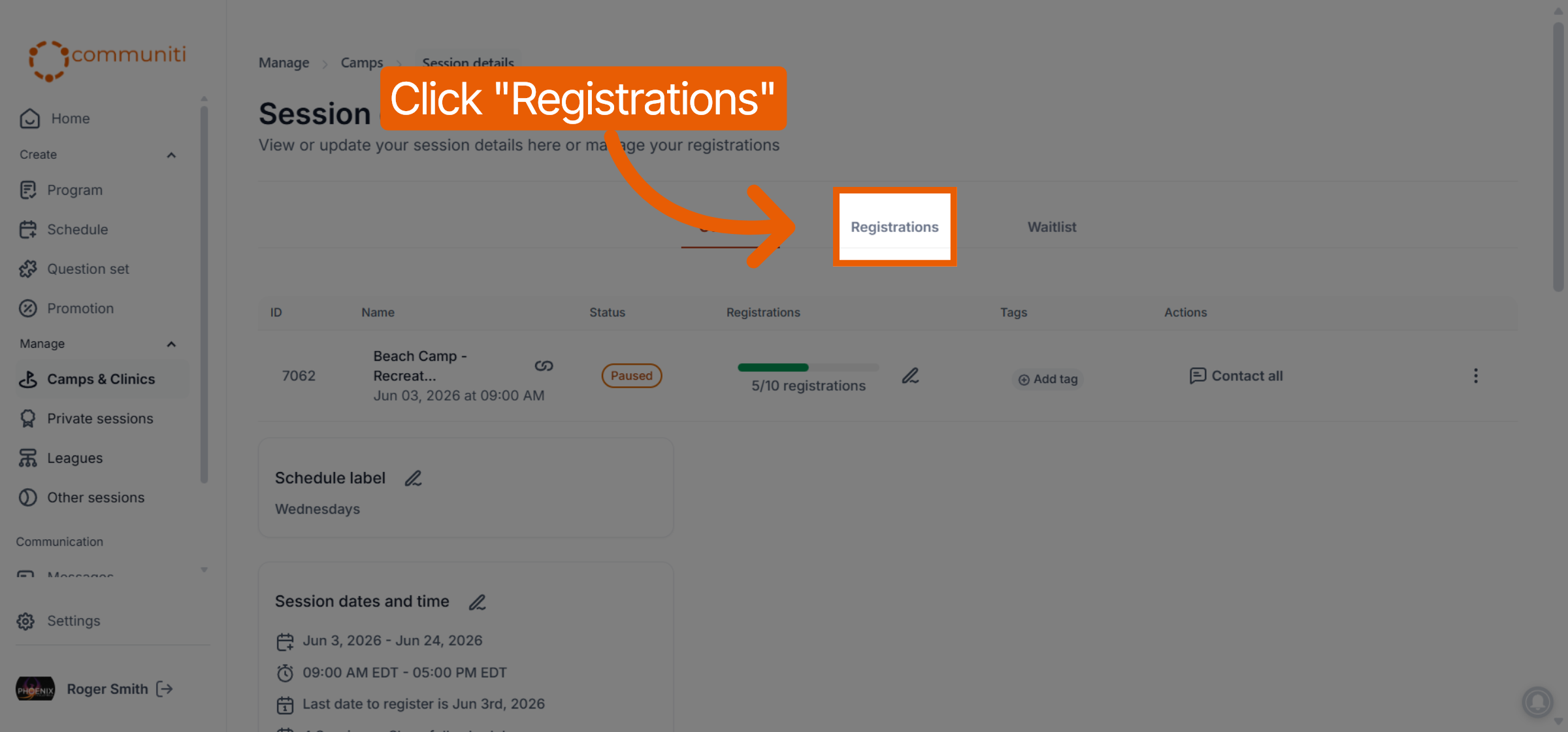
2. Spot the Payment Plan Indicator
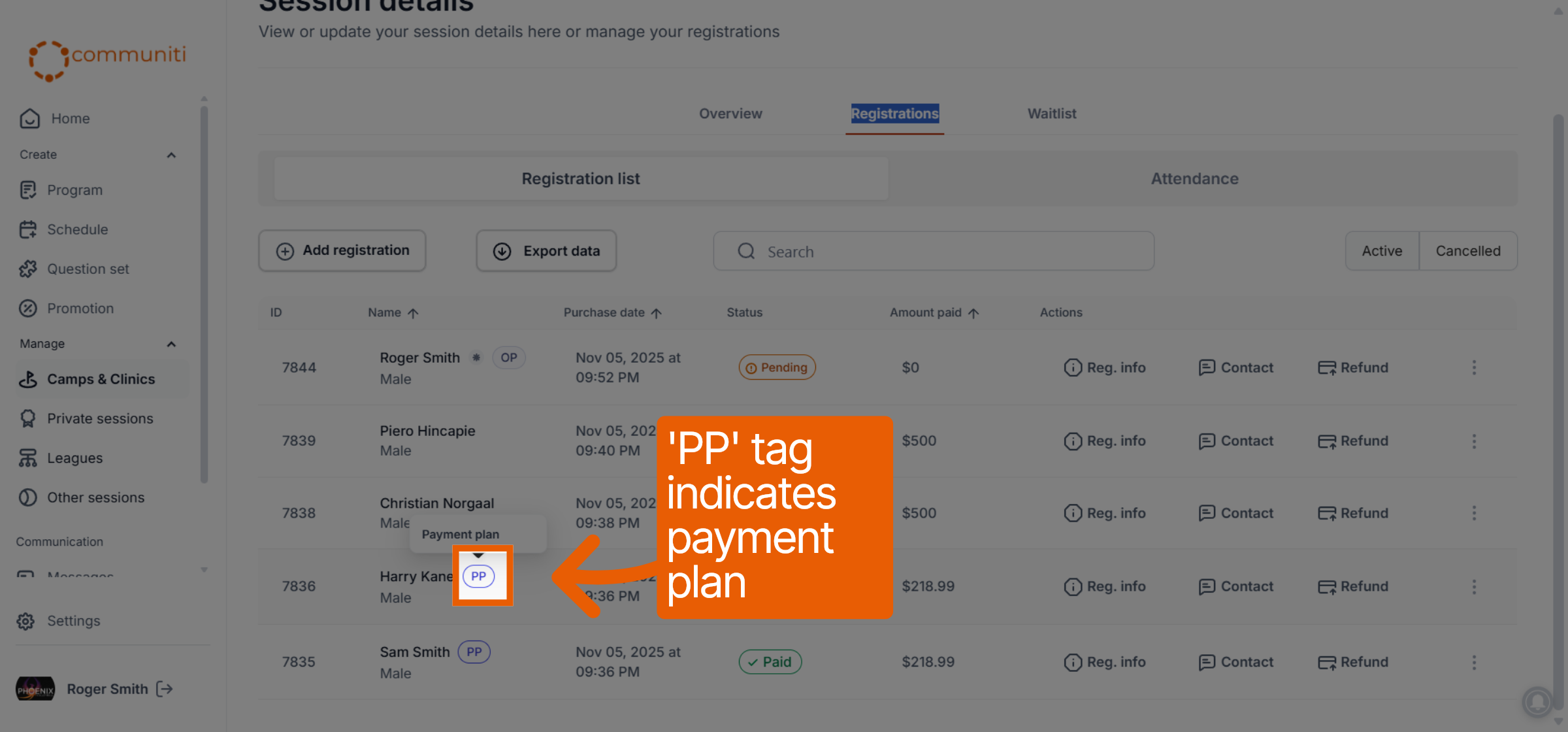
The platform uses a specific visual tag to highlight users who are not paying the full amount upfront.
Look at the Name column in your participant list.
Users on a payment plan will have a small blue PP tag displayed next to their name.
Hovering over this tag will confirm that the user is currently on a Payment plan.
3. Review Payment Details
For more specific information regarding a participant's installments:
Click the Reg. info button in the Actions column for that user.
Select the Payment info tab to see their original deposit and any upcoming or completed installment payments.
Was this helpful?
Still need help? Ask the team