How to Enable Payment Plans
Payment plans allow you to offer flexibility to your users by breaking down the total session cost into smaller, scheduled installments.
Written By communiti
Last updated 10 months ago
1. Enable the Toggle
You can enable this during initial scheduling or by editing an active session's overview.
Locate the Price and Payment Plans section.
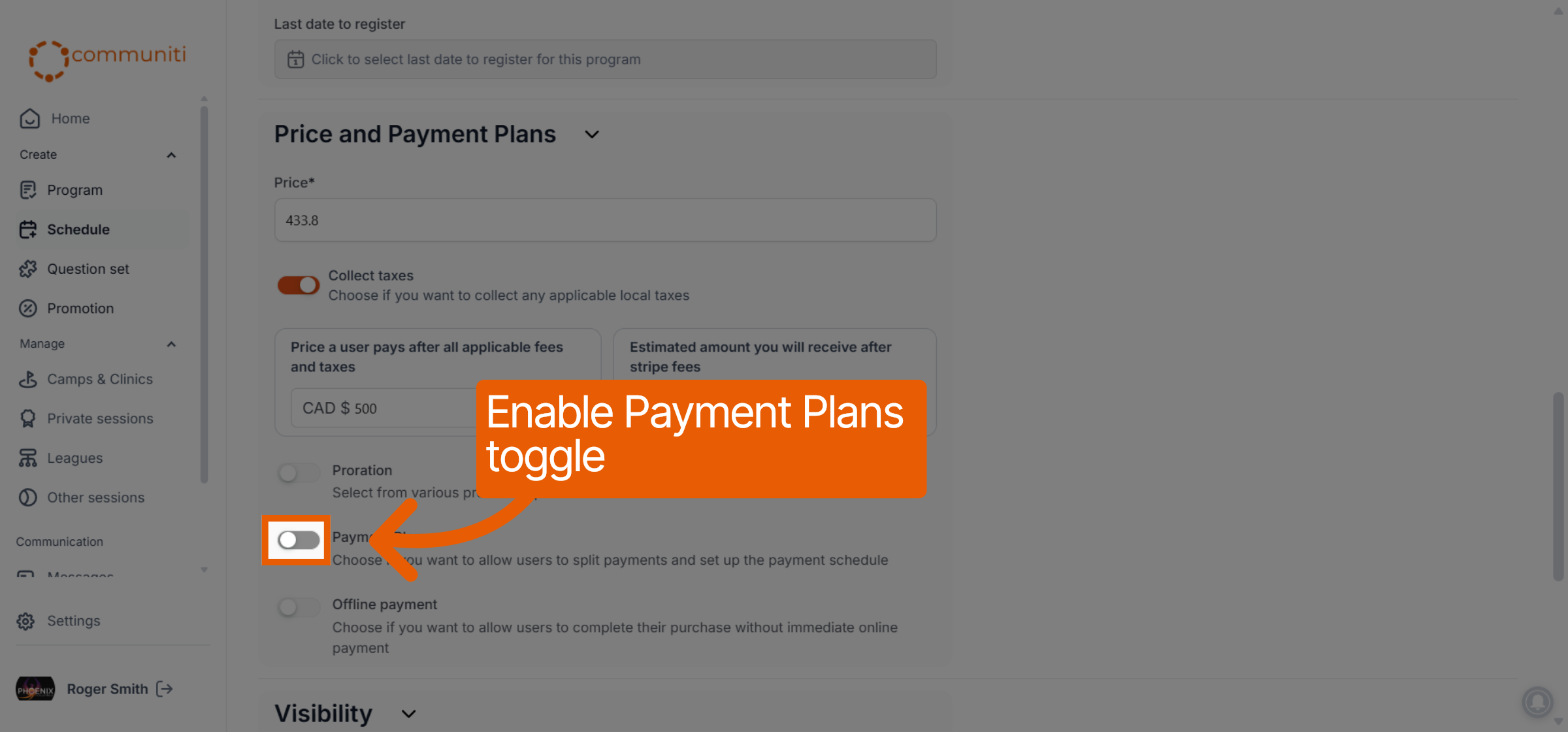
Switch the Payment Plan toggle to ON.
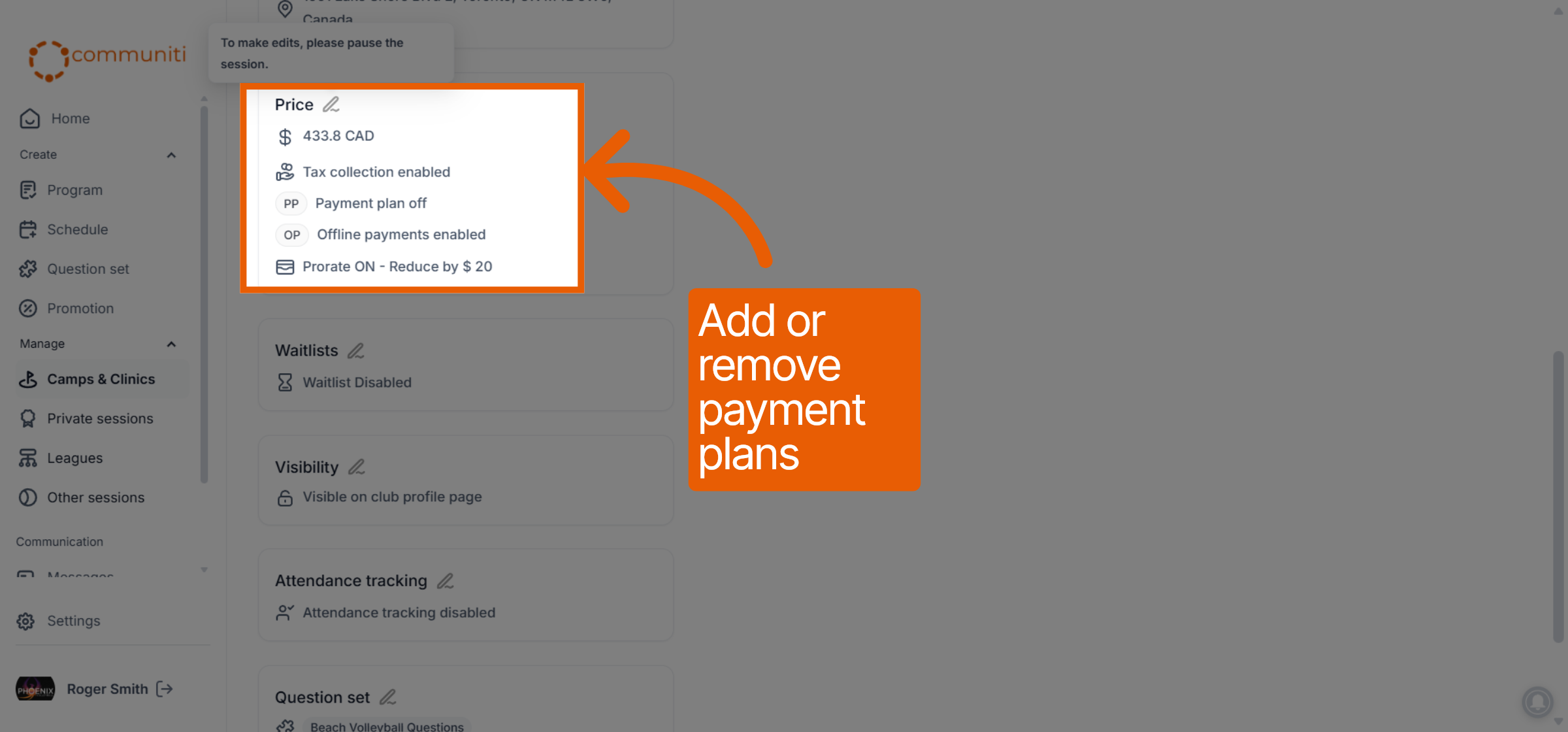
2. Configure Your Plan Details
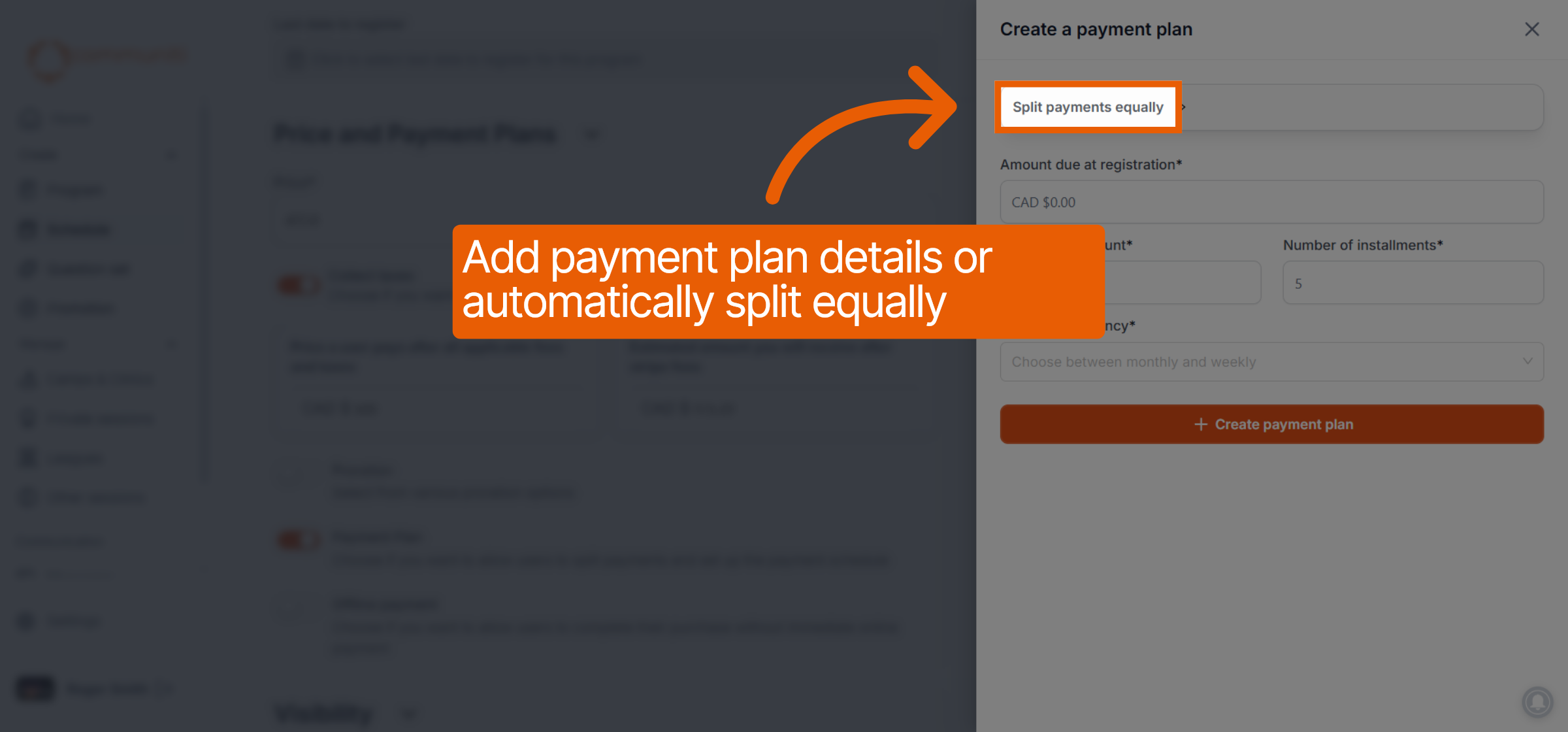
Once enabled, a setup window will appear to define the payment schedule.
Initial Payment: Enter the Amount due at registration.
Installments: Choose to Split payments equally or manually enter the Installment amount and Number of installments.
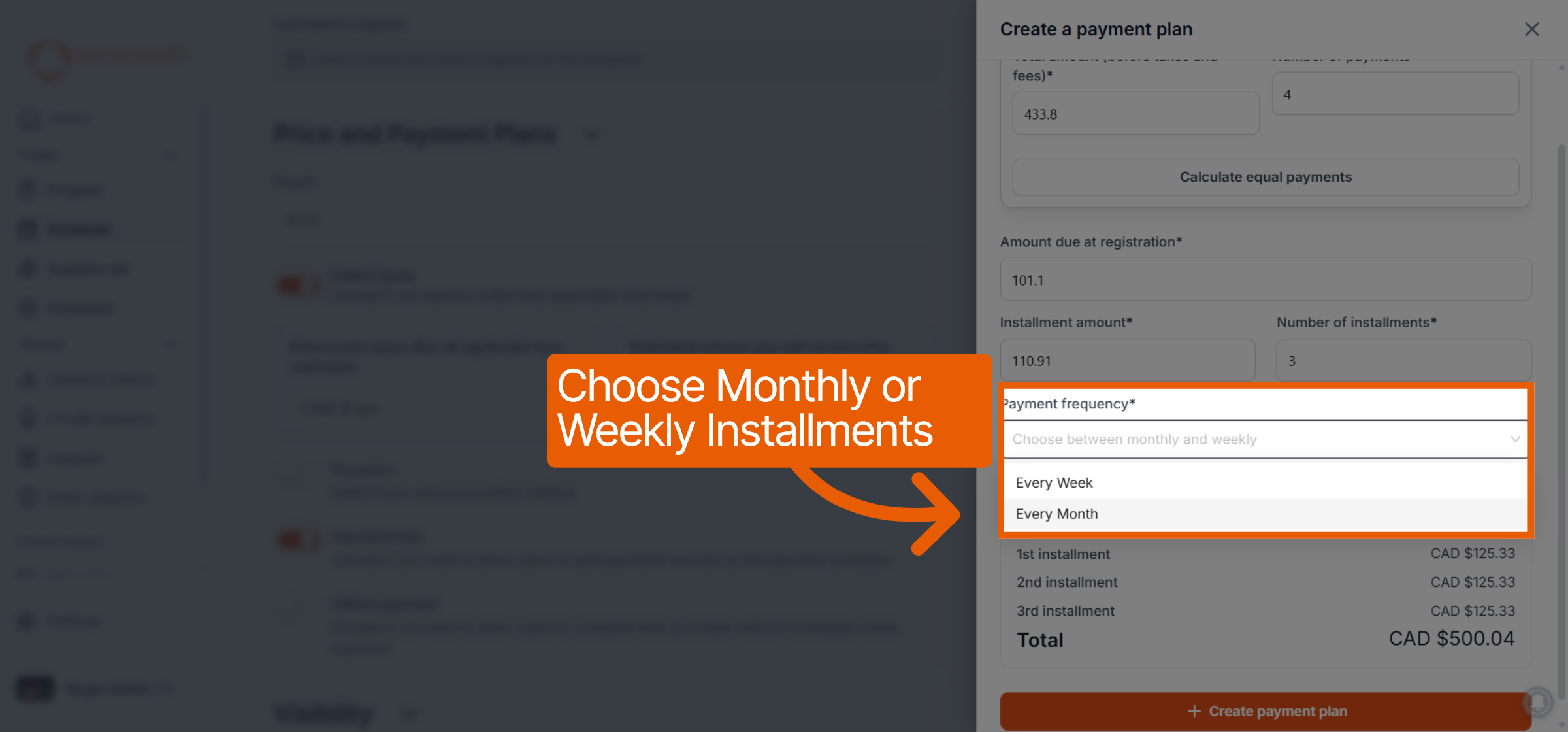
Frequency: Use the dropdown to choose between Every Week or Every Month for the recurring charges.
3. Review and Save
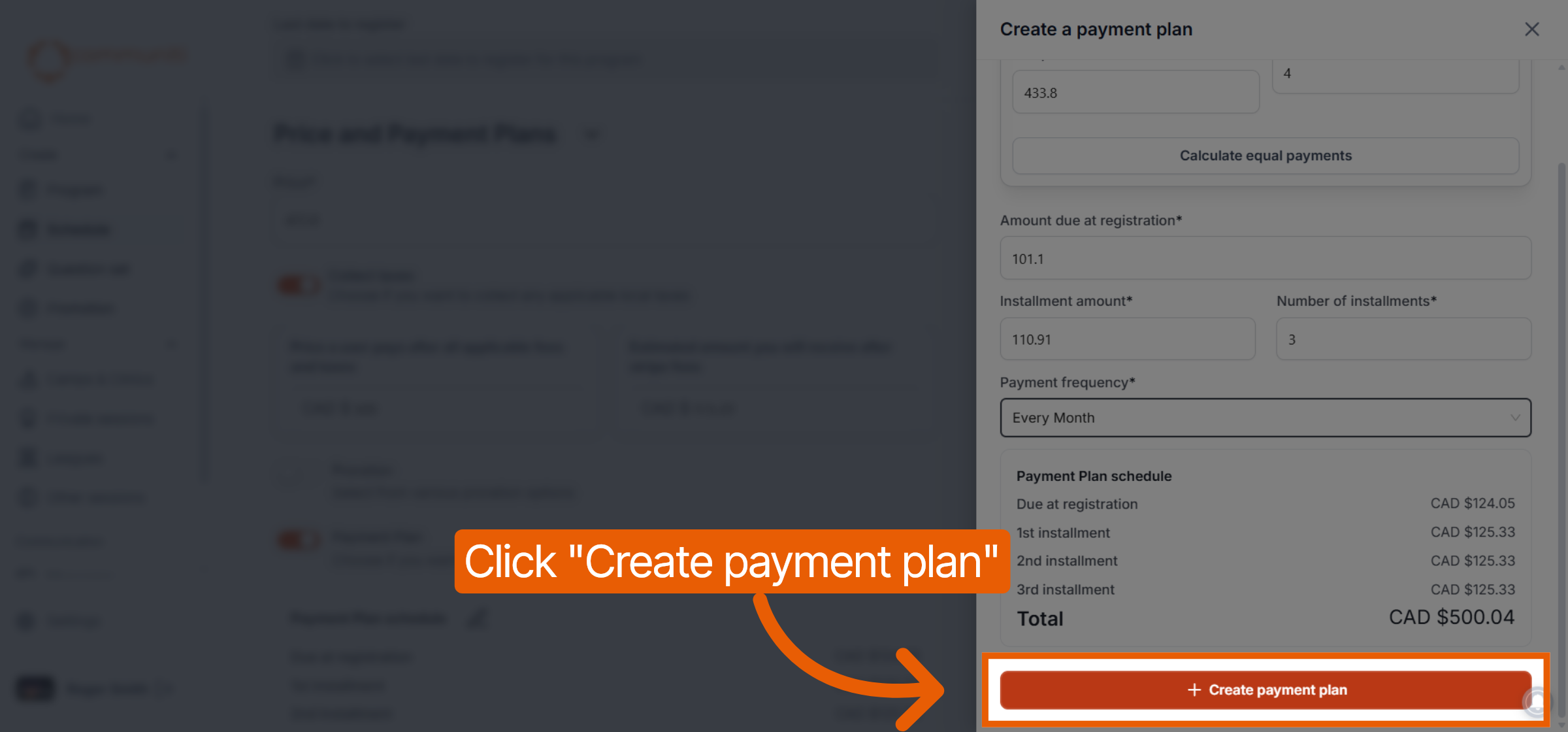
Review the generated Payment Plan schedule to ensure the dates and amounts are correct.
Click the orange Create payment plan button to finalize the settings.
Was this helpful?
Still need help? Ask the team