Viewing Your Registration List
Managing your participants is a simple process that starts from your session dashboard. This list gives you a clear view of everyone who has signed up, their payment status, and their contact details.
Written By communiti
Last updated 10 months ago
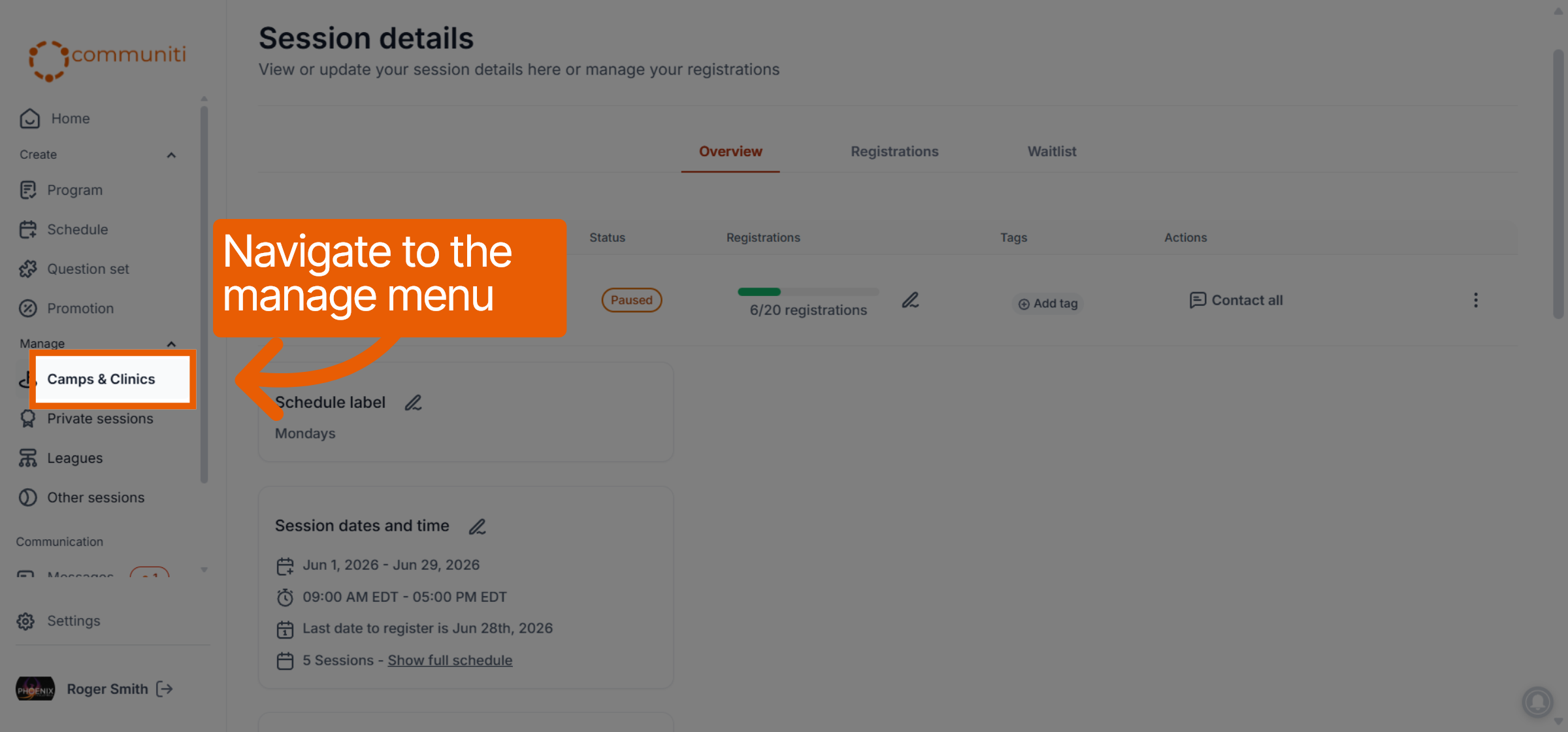
1. Navigate to the Manage Page
Select the appropriate category from the left-hand sidebar (e.g., Camps & Clinics or Leagues) to view your active sessions.
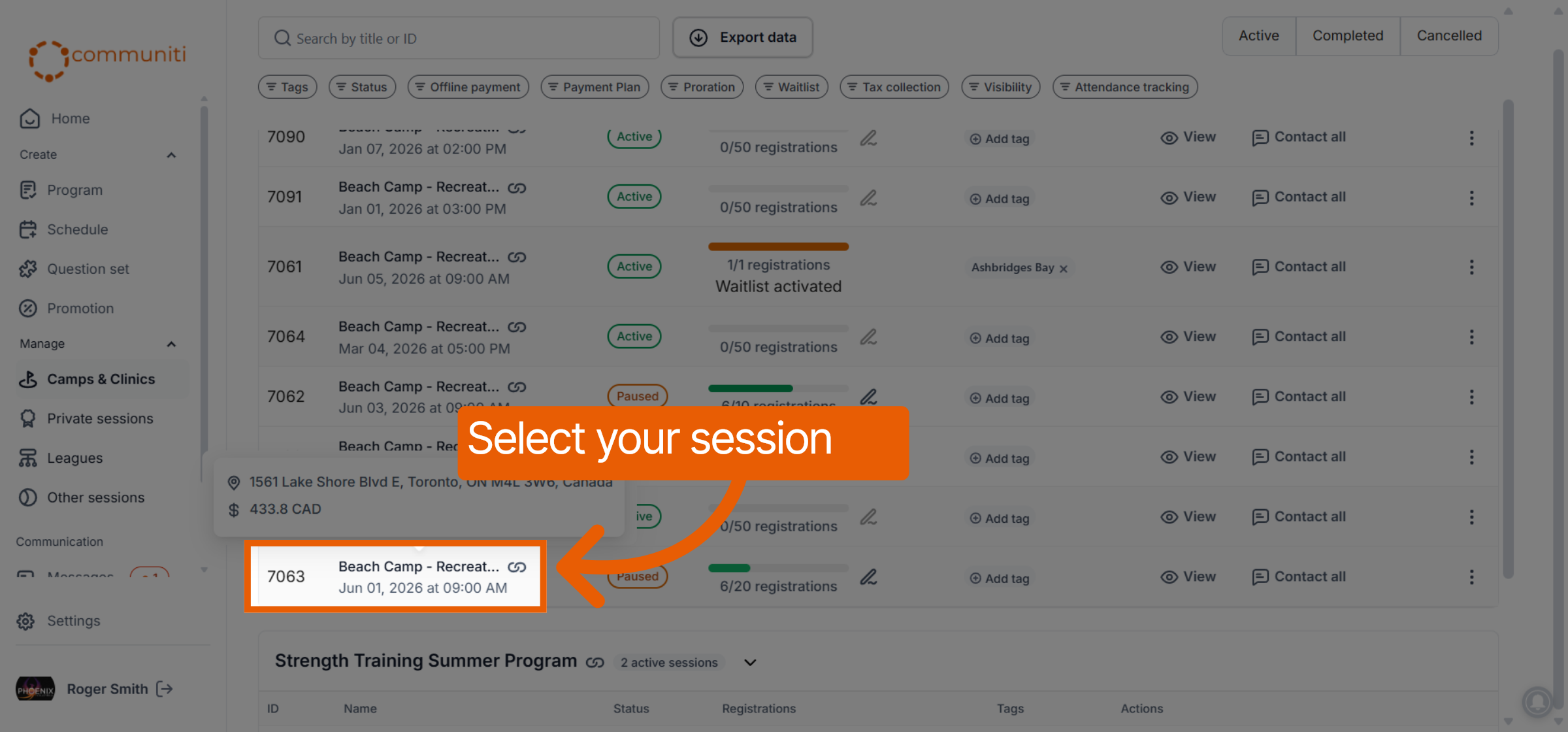
2. Select Your Session
Click directly on the session you want to review. This action will automatically take you to the Overview page for that specific session.
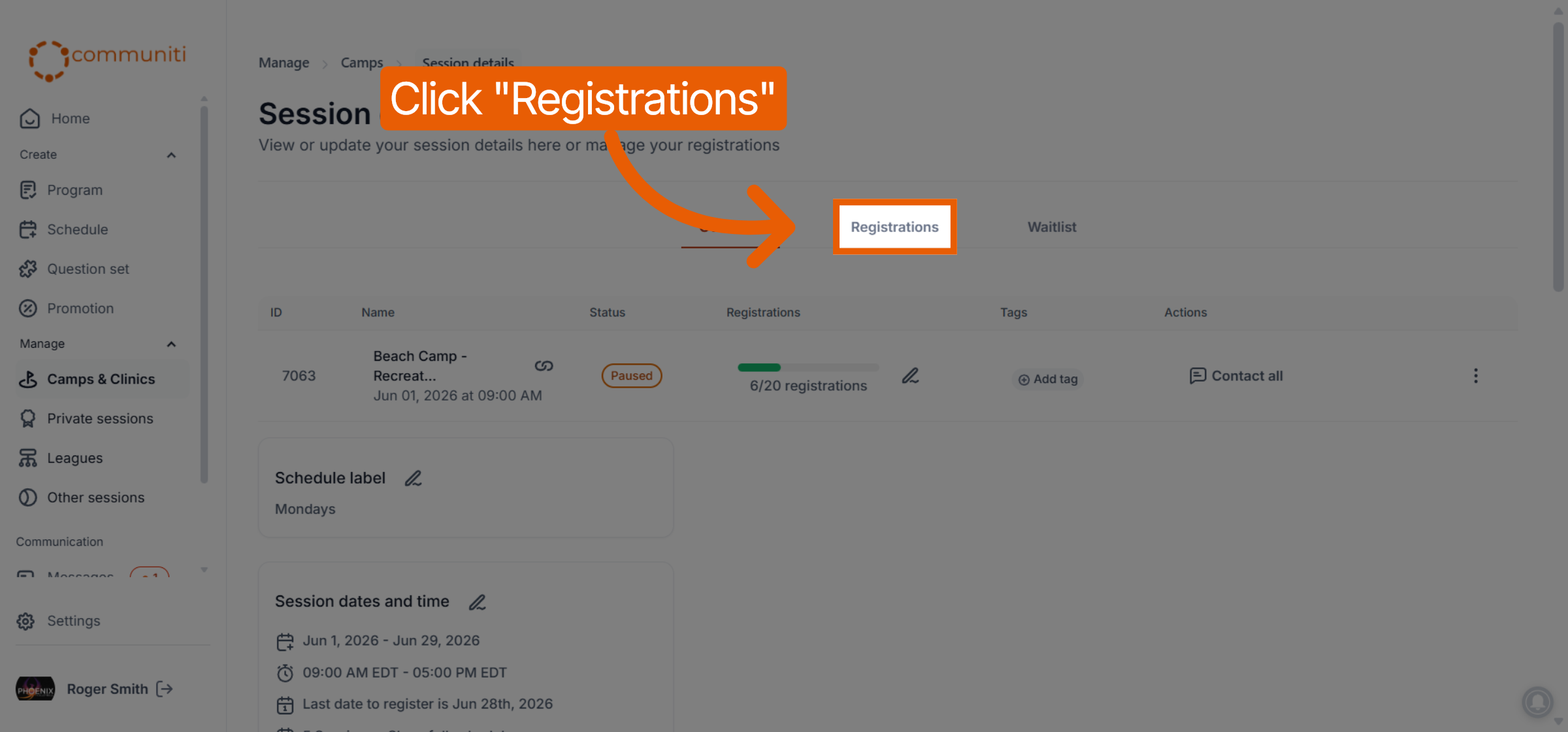
3. Open the Registrations Tab
At the top of the session dashboard, click on the Registrations tab. This will open the full list of participants who have signed up for this event.
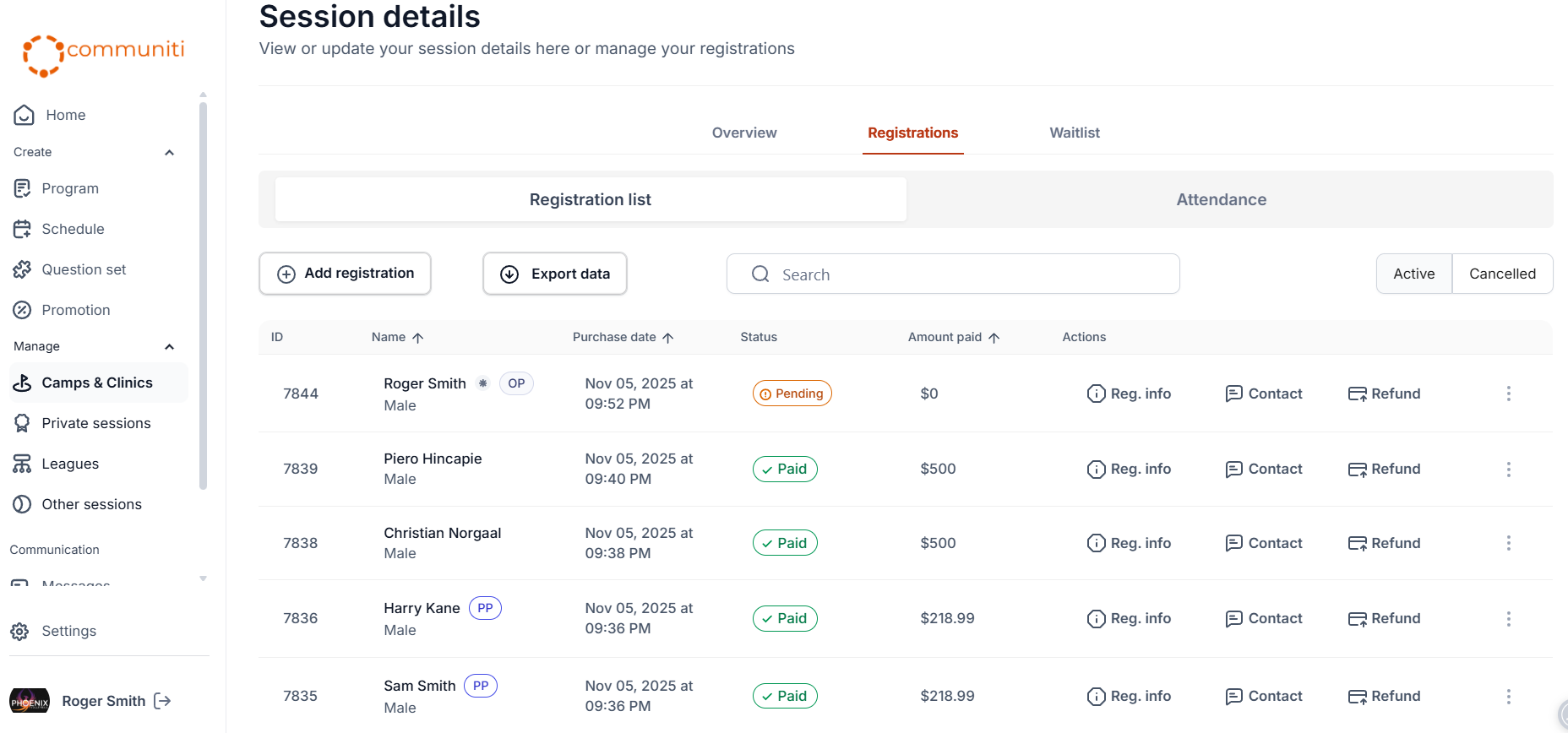
What You’ll Find in the List
The registration table provides all the essential data you need for check-ins and communication:
Participant Details: The names of everyone registered.
Contact Info: Direct access to the email and phone number provided during sign-up.
Registration Status: Quickly identify if a spot is Active, Cancelled, or Pending.
Financial Tracking: View the payment status to see who has paid in full, who has an outstanding balance, or who is using an offline payment method.
Was this helpful?
Still need help? Ask the team