How to Save and Reuse Your Availability
Save your usual weekly hours once and load them each time you schedule a private session.
Written By communiti
Last updated About 21 hours ago
If you offer lessons at the same hours every week, save those hours as an availability schedule. You can then load them in one click when you schedule a private session.
1. Create a Saved Schedule
Saved schedules live in Settings, next to your calendar connection.
Click Settings, then Connected accounts.
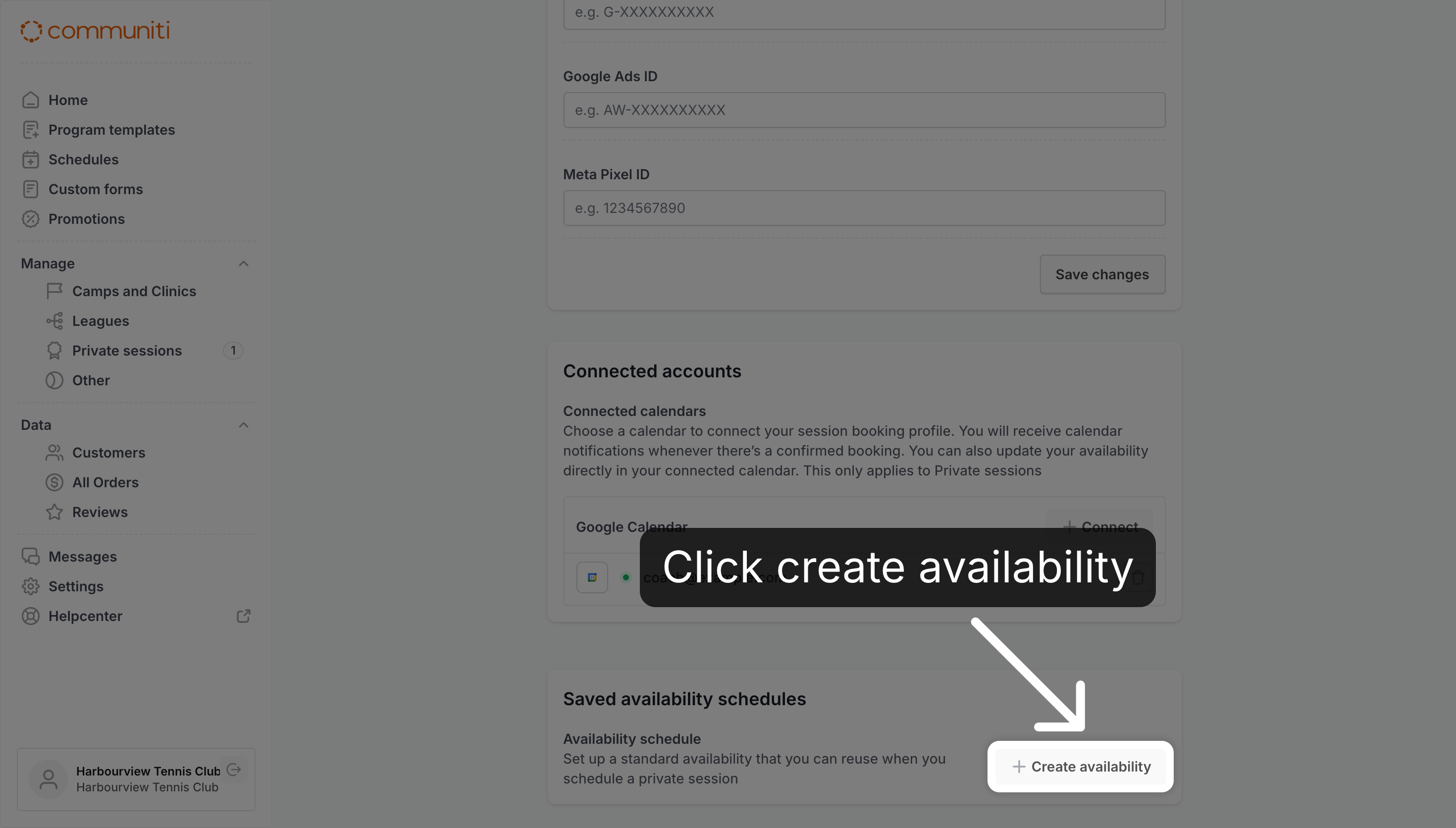
Under Saved availability schedules, click Create availability.
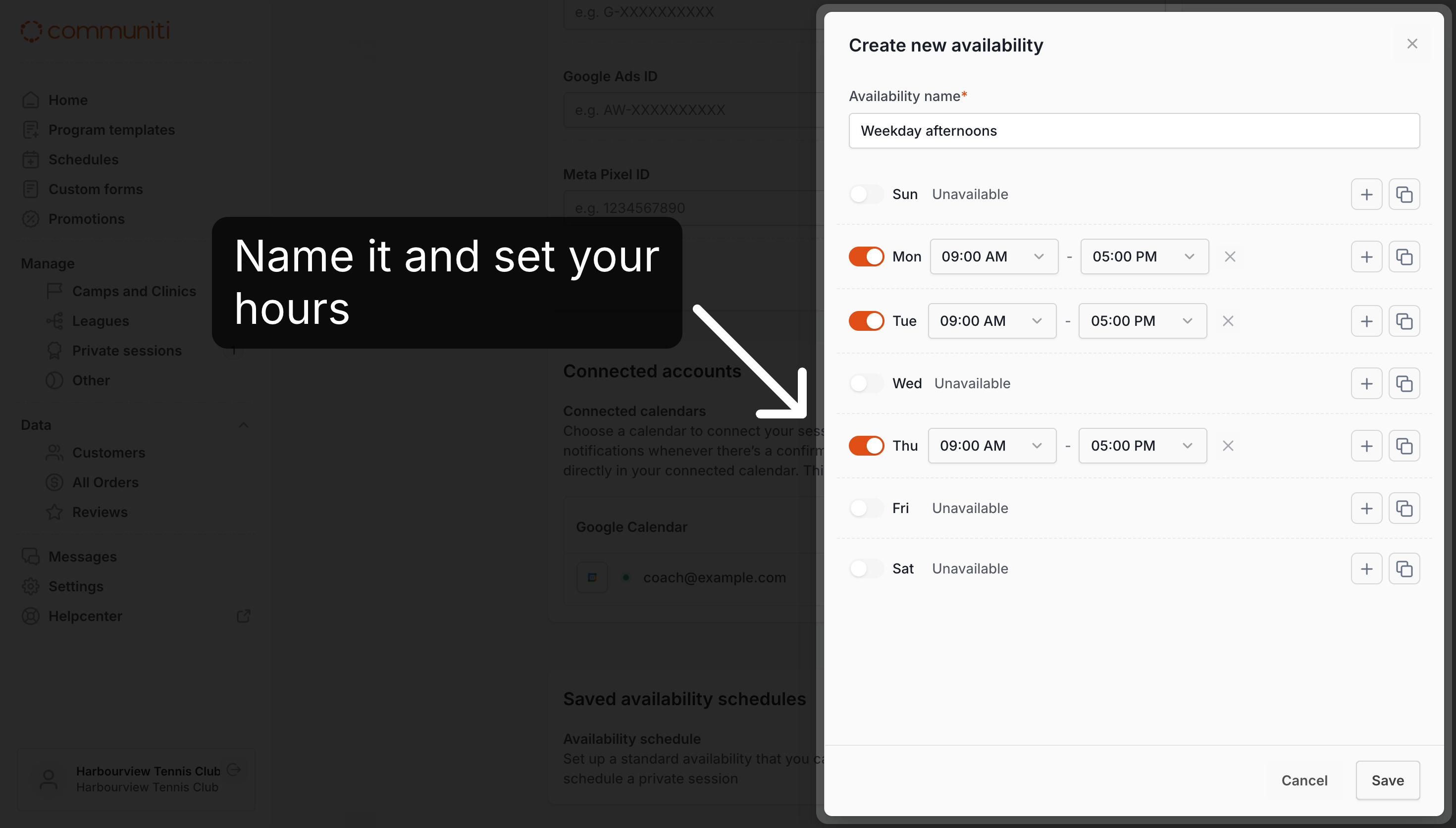
Availability name: Enter a name you'll know, for example "Weekday afternoons".
Turn on each day you're available and set its start and end time, then click Save.
2. Use It When You Schedule
Load your saved hours instead of setting each day again.
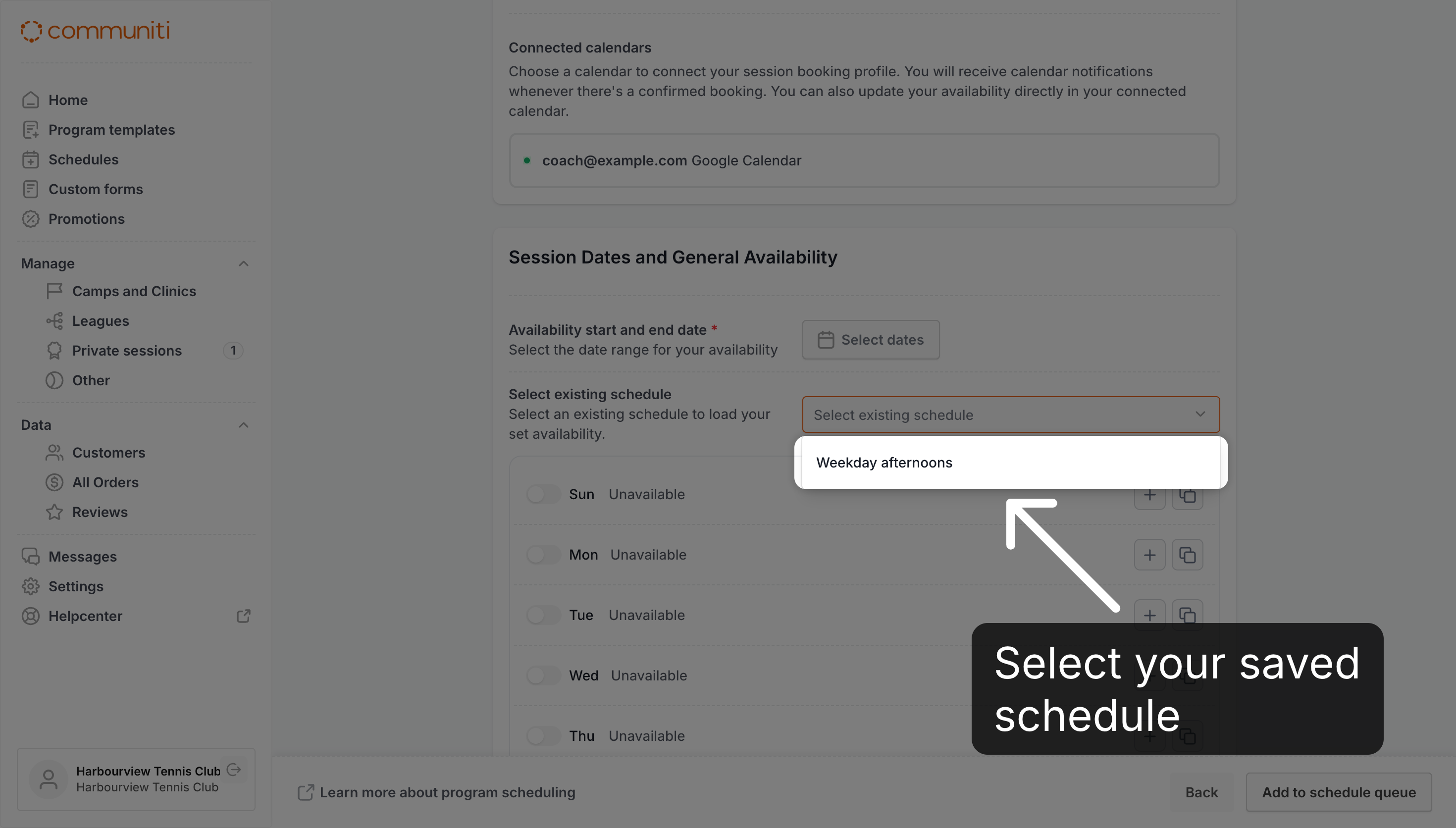
When you schedule a private session, find Select existing schedule under Session Dates and General Availability.
Select your saved schedule. Its days and hours fill in for you.
If you change any hours, tick Save changes to original schedule to update the saved copy too.
3. Save New Hours While Scheduling
You can also save the hours you set while scheduling.
Set your days and hours under Session Dates and General Availability.
Tick Remember this availability and enter an Availability name.
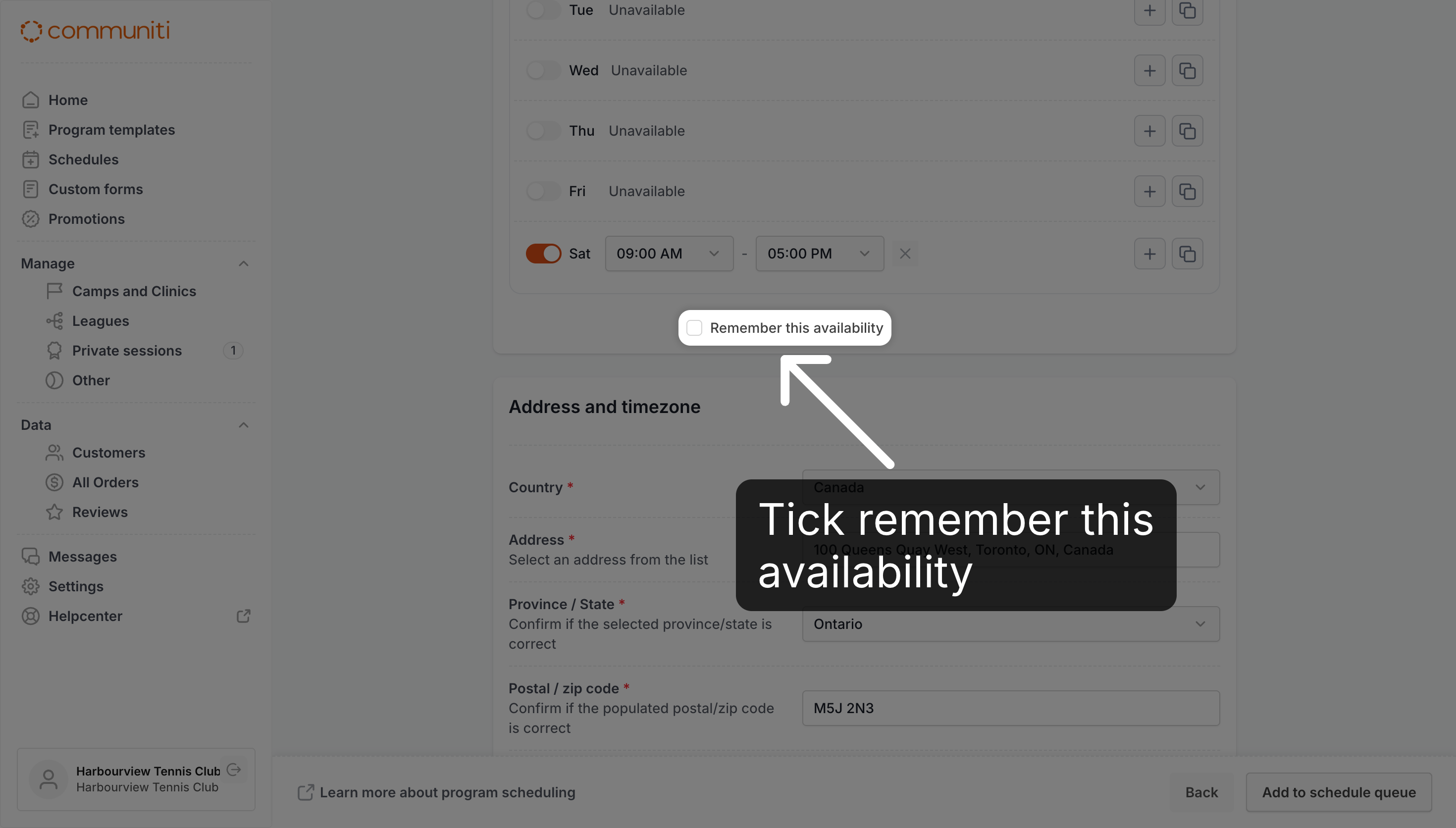
Note: Remember this availability only shows once you have at least one saved schedule, so create your first one in Settings.
What happens next?
Your saved schedules are listed under Saved availability schedules in Settings, where you can edit or delete them. Hours you save while scheduling are kept when you click Schedule all programs.
Was this helpful?
Still need help? Ask the team