How to Enable Waitlists
Waitlists allow you to capture interest from potential participants even after a session has reached its full capacity. Once enabled, the platform will automatically offer a waitlist option to users when the registration limit is hit.
Written By communiti
Last updated 10 months ago
Option 1: During Initial Scheduling
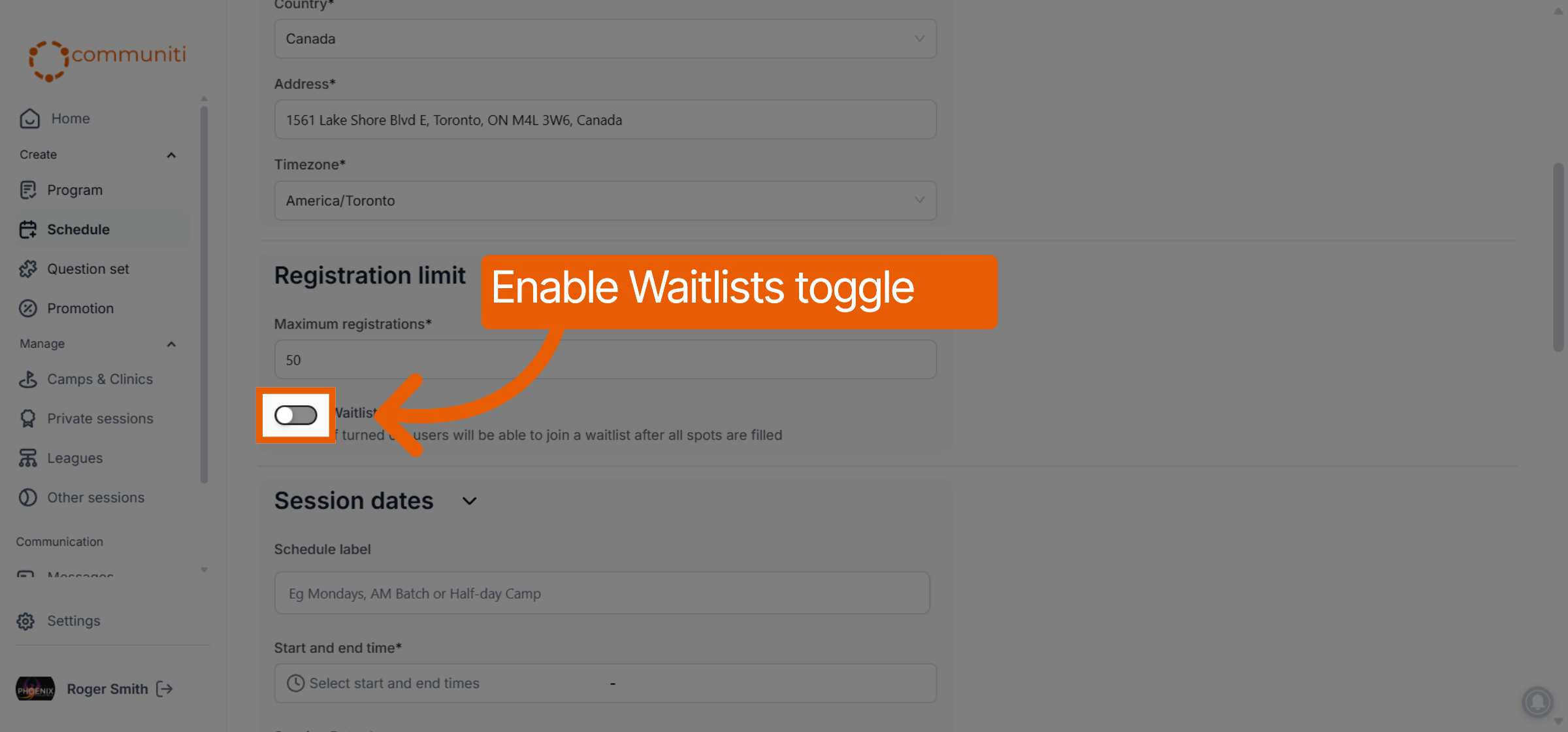
Navigate to the Schedule tab and select Add a session.
Scroll down to the Waitlists section.
Switch the Waitlist toggle to the ON position.
Option 2: For an Active Session
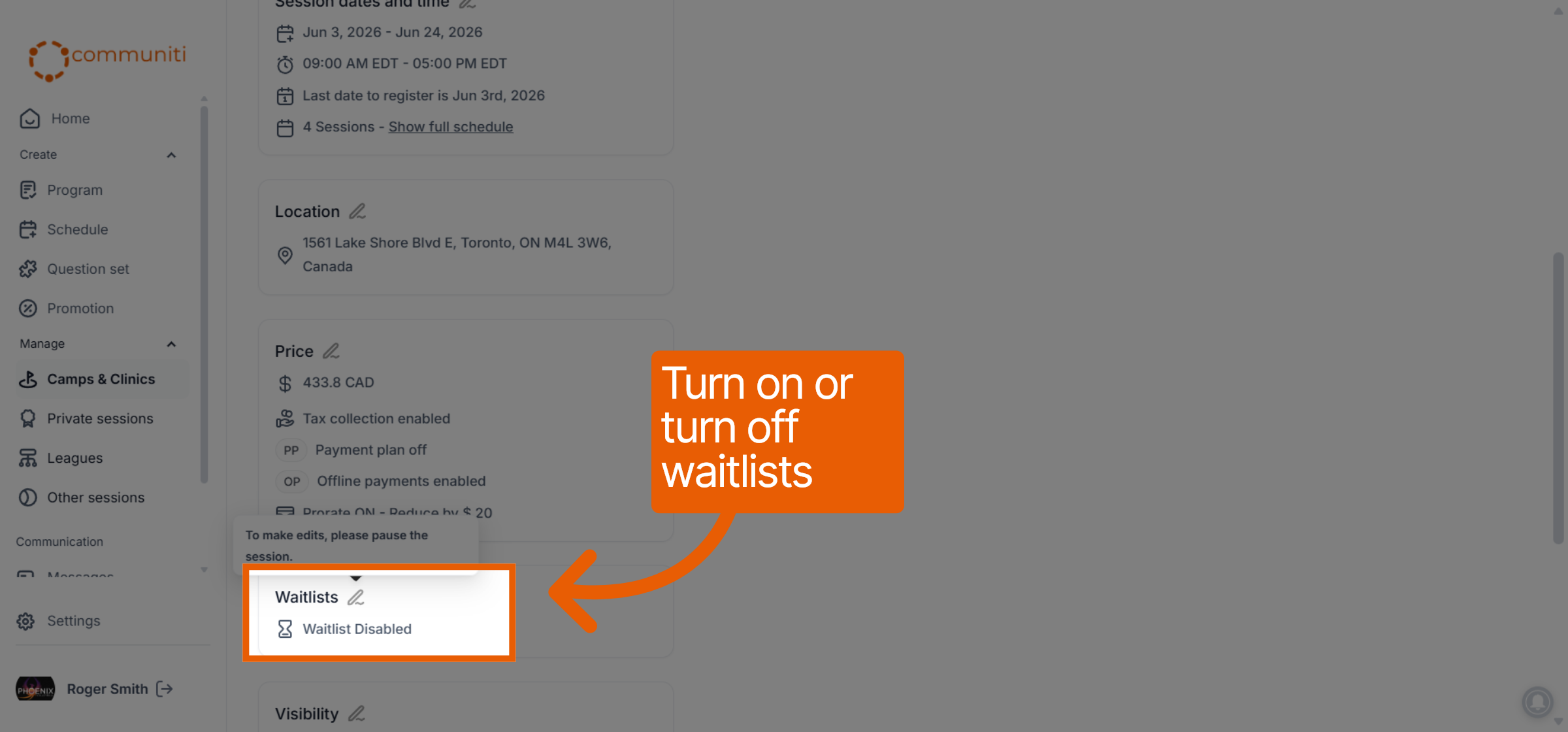
If a session is already live and you want to add a waitlist:
Navigate to the Manage menu and click into your specific session.
On the Overview tab, locate the Waitlists section.
Click the Edit (pencil) icon and toggle the waitlist to ON.
Was this helpful?
Still need help? Ask the team