How to Archive and Unarchive Programs
Archiving is a great way to keep your Program list clean and organized. If you have programs that are seasonal or no longer in use, you can archive them to hide them from your main list without permanently deleting the data.
Written By communiti
Last updated 10 months ago
1. How to Archive a Program
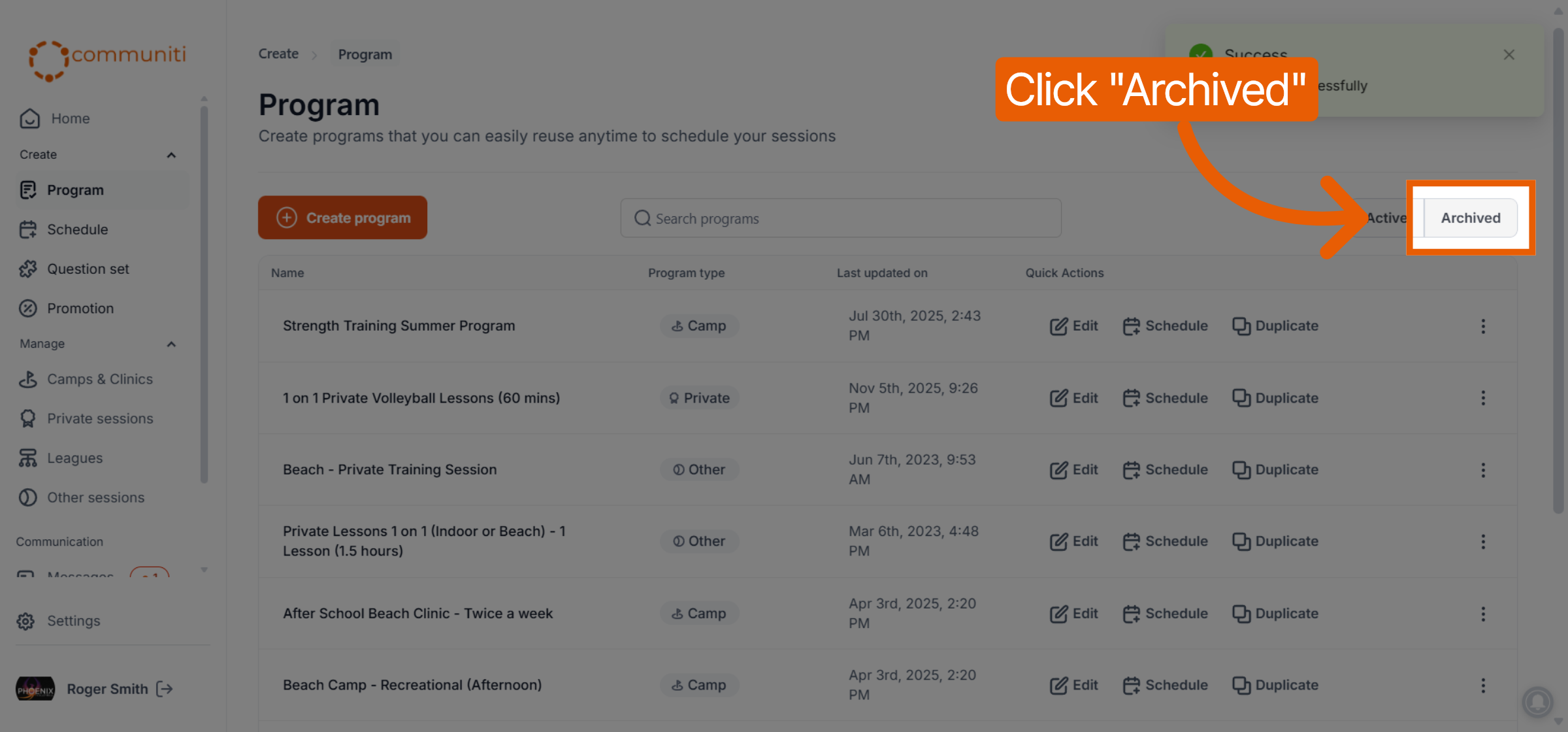
When you archive a program, it is moved from your "Active" list to the "Archived" tab.
Navigate to Program in the left sidebar.
Ensure you are on the Active tab (this is the default view).
Find the program you wish to hide.
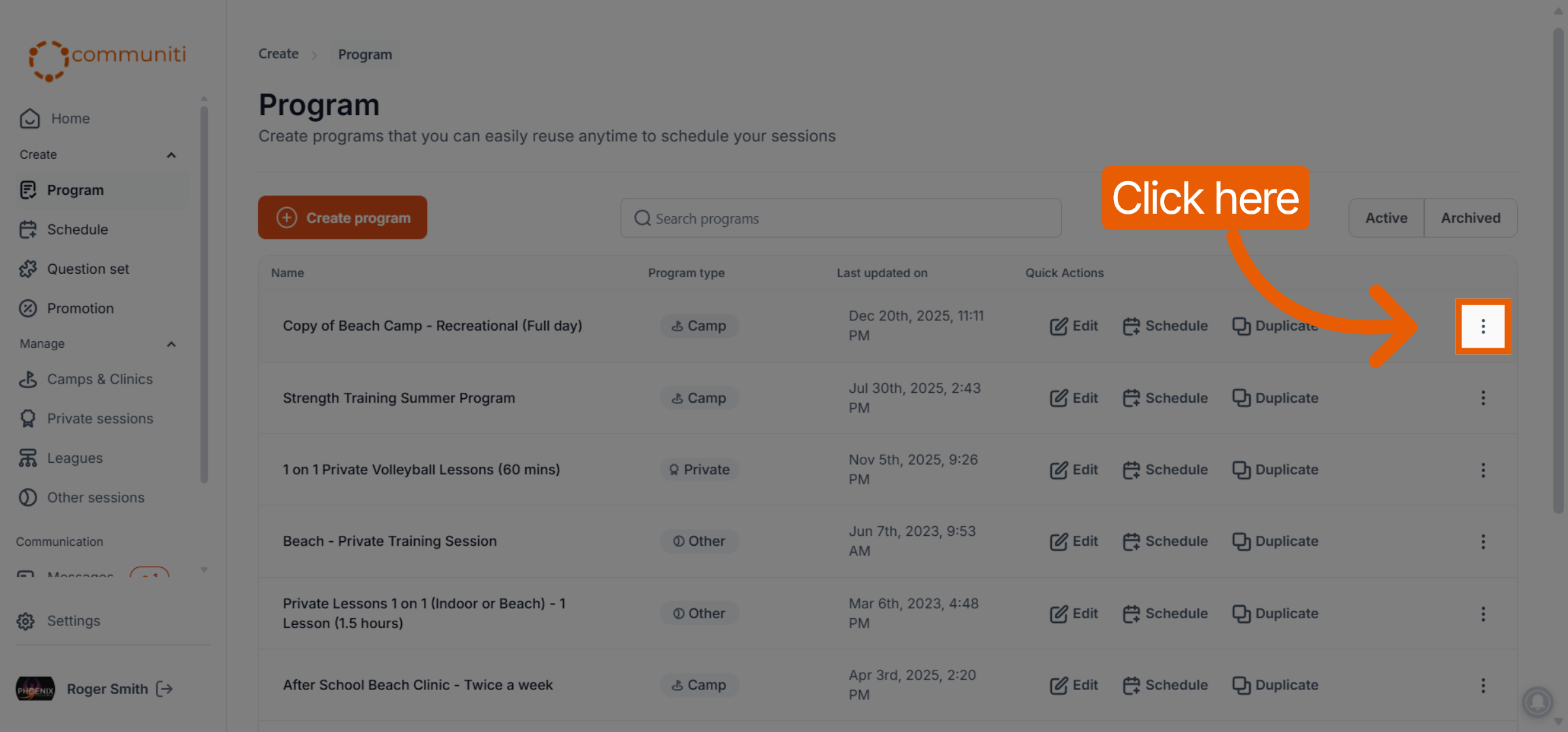
In the Quick Actions column on the right, click the Three Dots (⋮) icon.
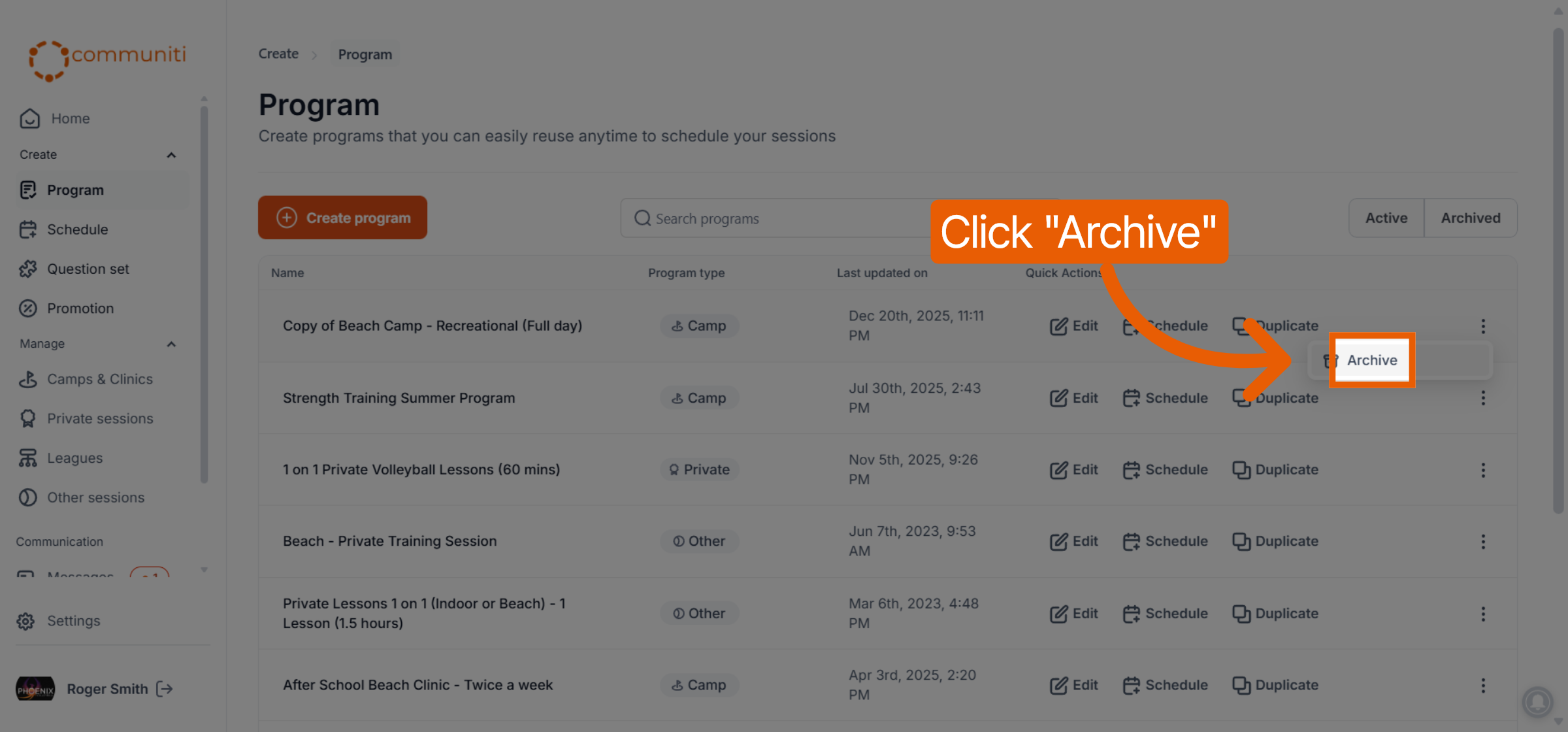
Select Archive from the dropdown menu.
2. How to Unarchive a Program
If you need to use an archived program again, you can easily bring it back to your active list.
Navigate to Program in the left sidebar.
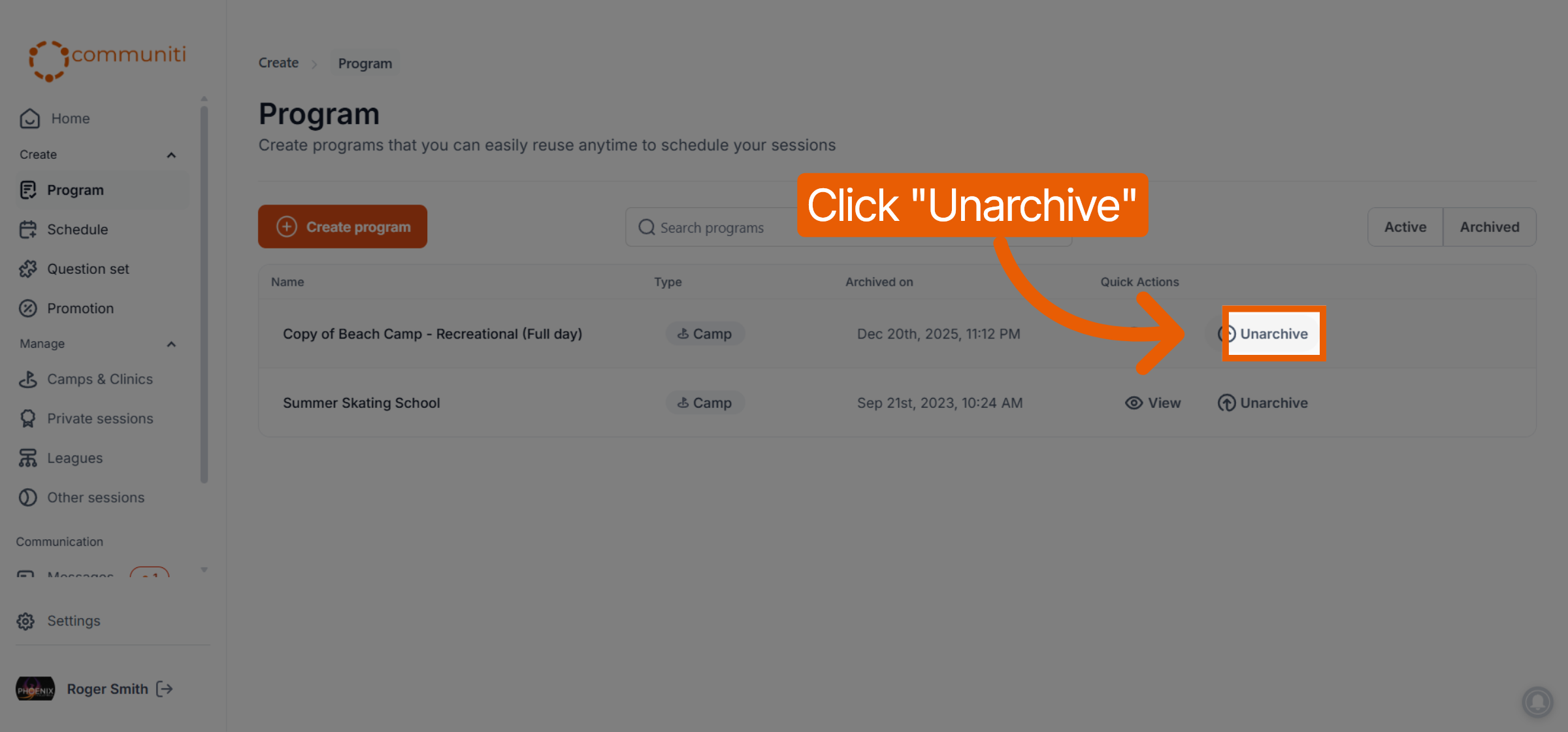
Click on the Archived tab in the top right corner of the screen.
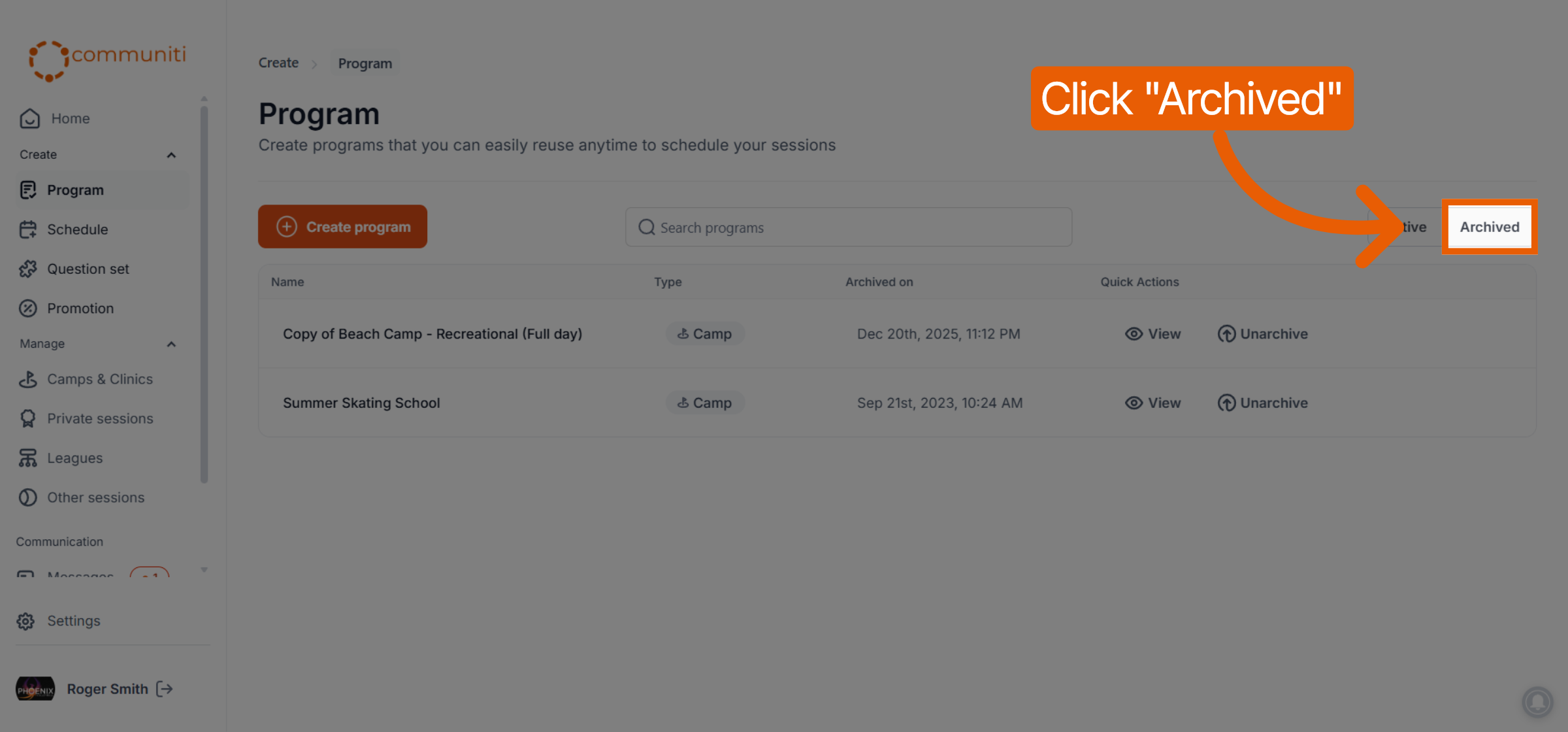
Locate the program you want to restore.
Select Unarchive.
What happens to linked sessions? Archiving a program template does not delete the history of sessions previously scheduled with it. It simply removes the template from your primary view so you can focus on the programs you are currently running.
Was this helpful?
Still need help? Ask the team