Where can I see my private lesson dates?
All your private lesson dates are on your order in My sessions, with the next lesson marked.
Written By communiti
Last updated About 21 hours ago
Every lesson in your pack is listed on your order, with its date and time or TBD if it isn't booked yet.
1. Open Your Lesson Pack
Your lesson packs are in My sessions.
Sign in and click My sessions at the top of the page.
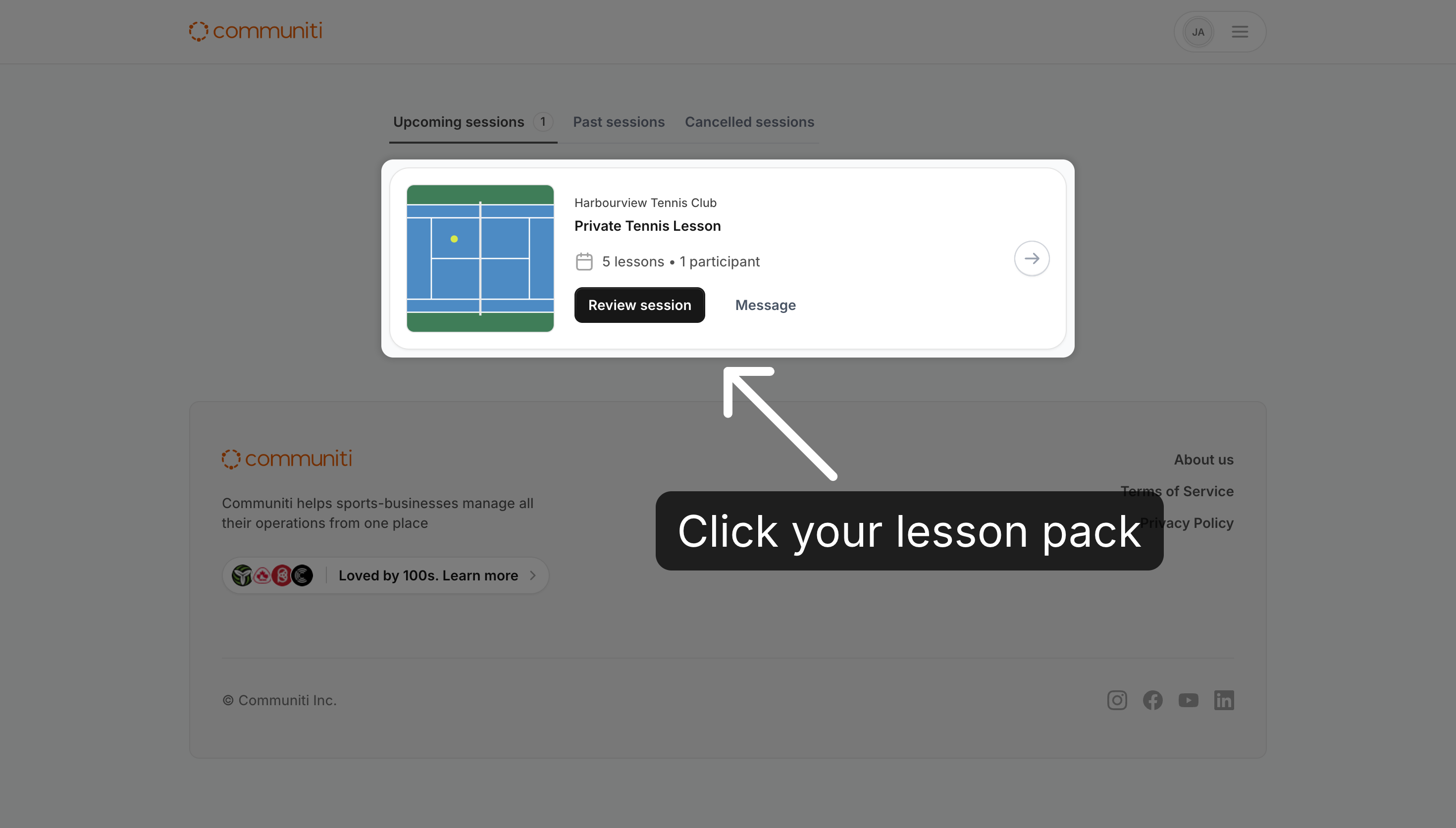
Under Upcoming sessions, click your lesson pack. It shows how many lessons and participants it has.
2. Check Your Session Schedule
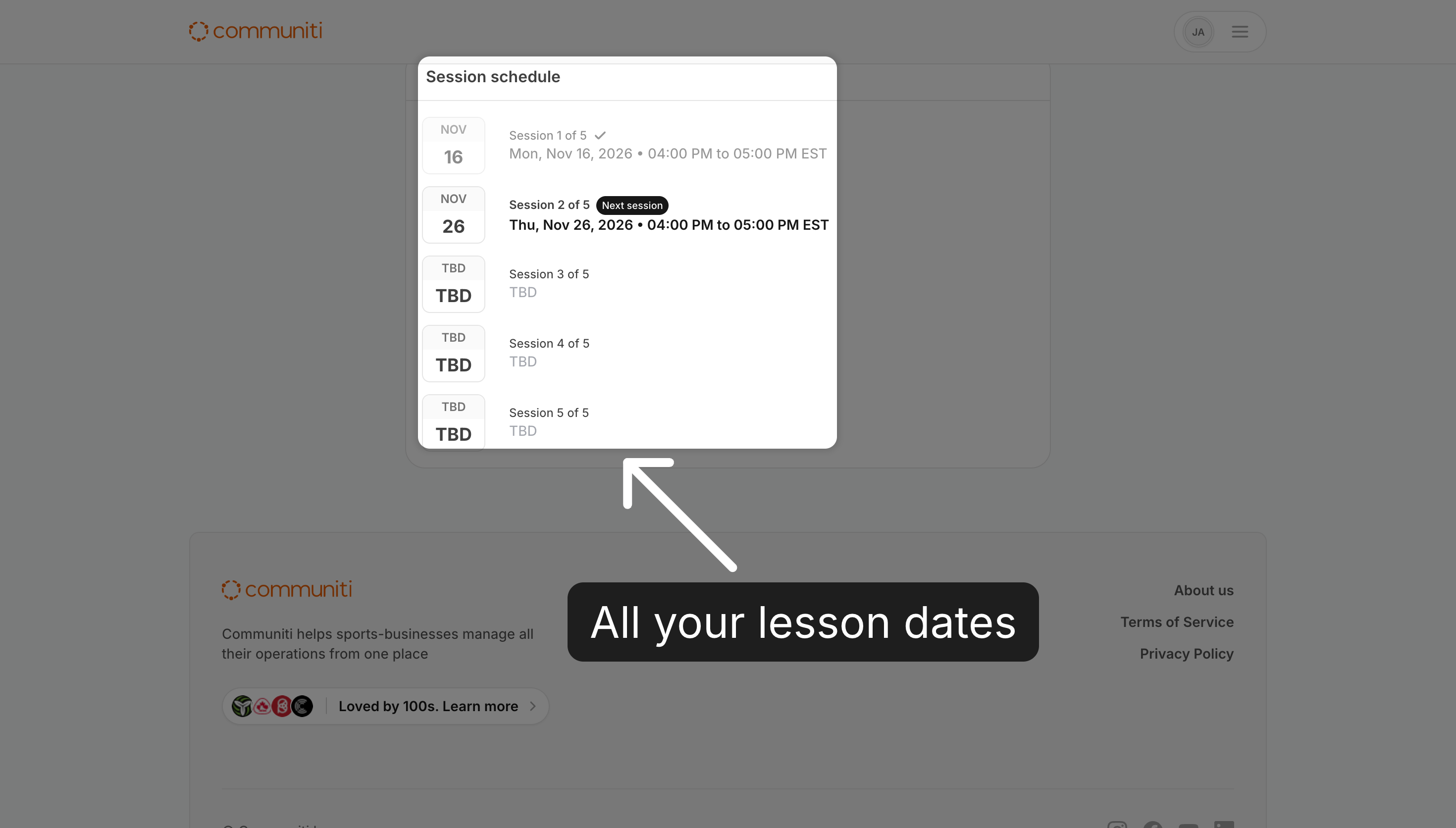
Scroll down to Session schedule.
Each lesson shows as Session 1 of 5, Session 2 of 5 and so on, with its date and time.
Your next lesson is marked Next session. Lessons that aren't booked yet show as TBD.
What happens next?
Each booked lesson is also in your calendar, from the invitation you get when it's booked. To book the TBD lessons, message your club.
Was this helpful?
Still need help? Ask the team