How to Duplicate Question Sets
Duplicating a question set is a quick way to create new registration forms that are similar to existing ones without starting from scratch.
Written By communiti
Last updated 10 months ago
1. Locate the Question Set
Access your global list of registration forms.
Select Question set from the left sidebar menu.
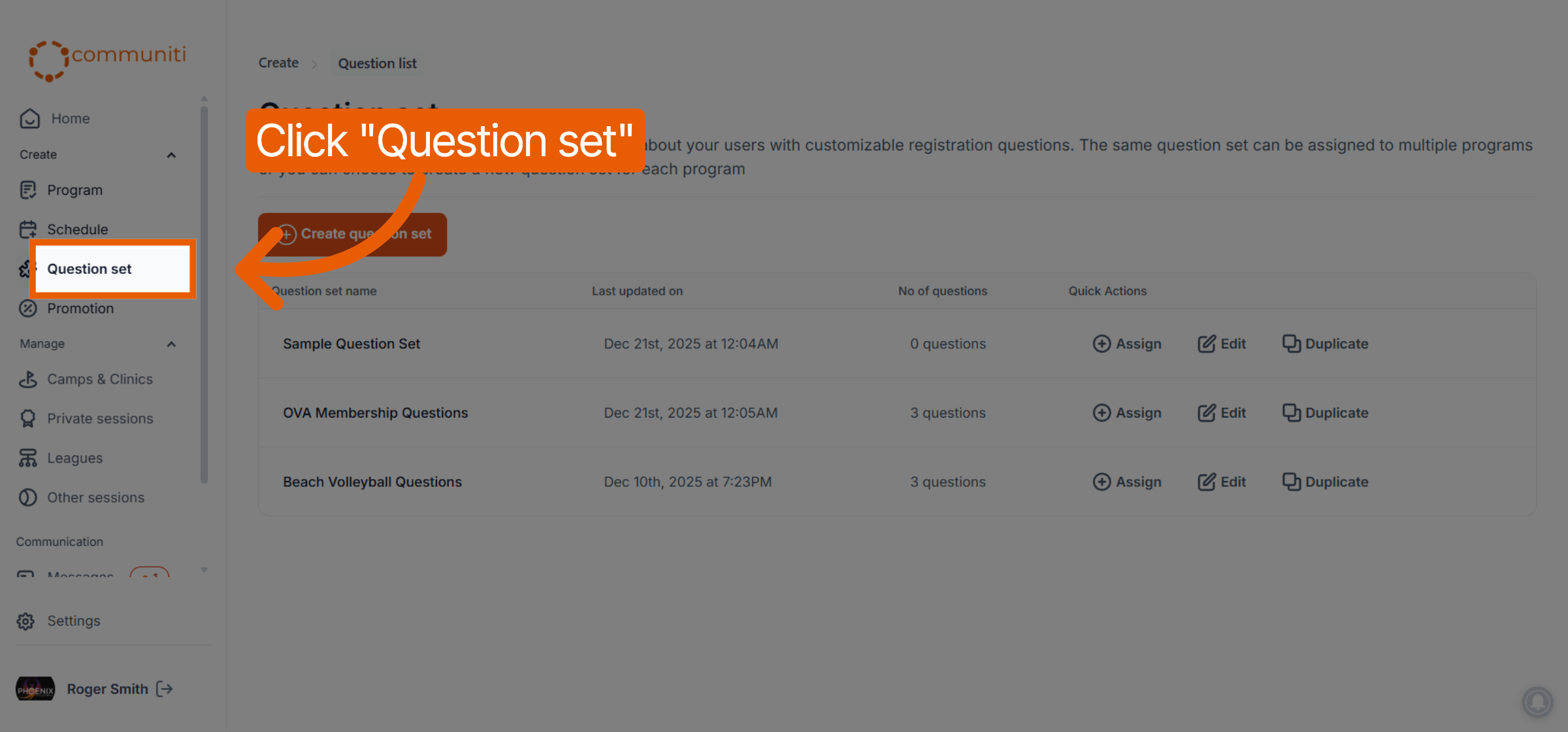
Find the specific set you wish to copy in the list.
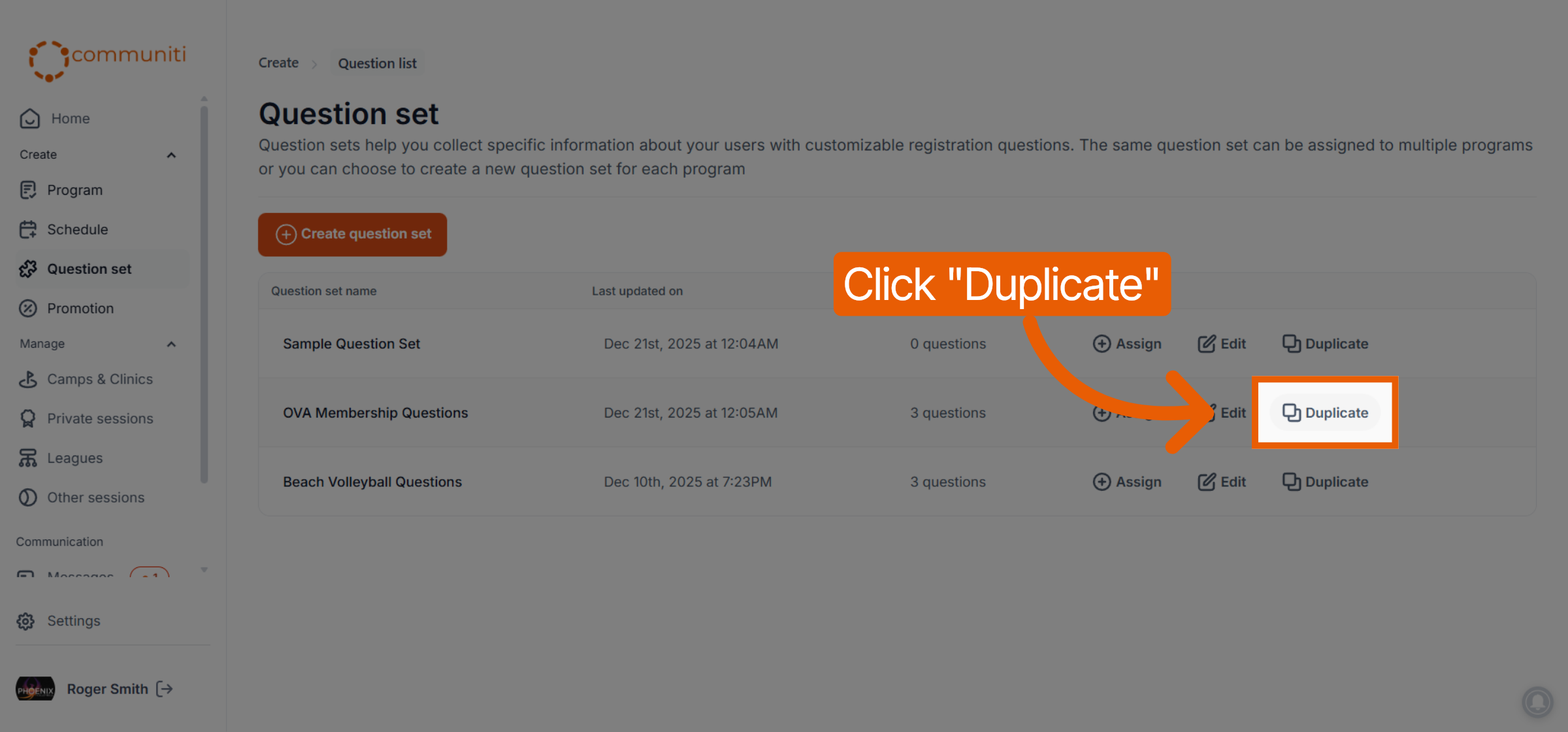
2. Initiate the Duplicate
Click the Duplicate button located in the Quick Actions column for that set.
3. Customize the New Set
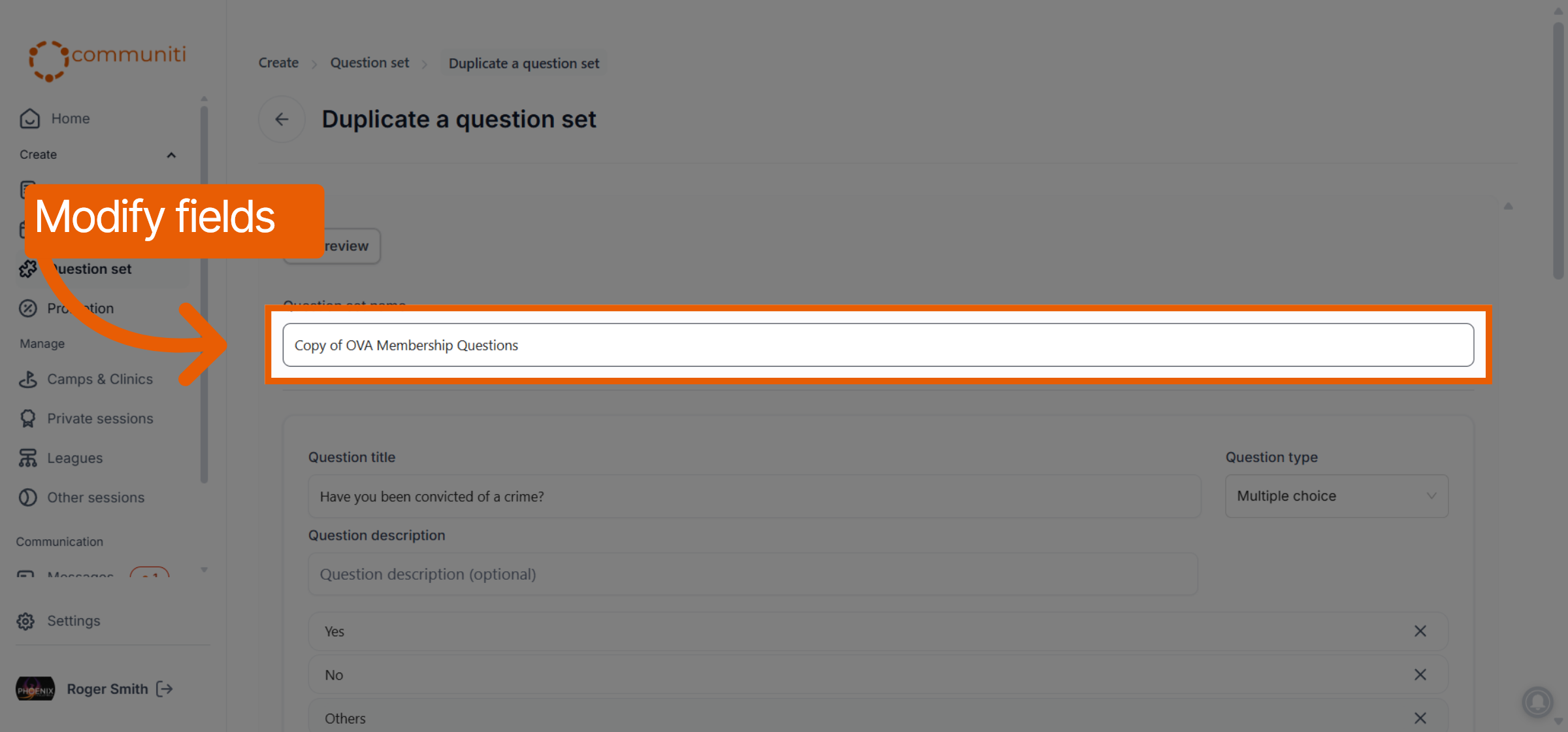
The platform will open a copy of the original set for you to modify.
Rename the Set: Update the Question set name to distinguish this copy from the original.
Modify Content: You can edit existing questions, change answer options, or add new questions to tailor the set to its new purpose.
4. Save and Finalize
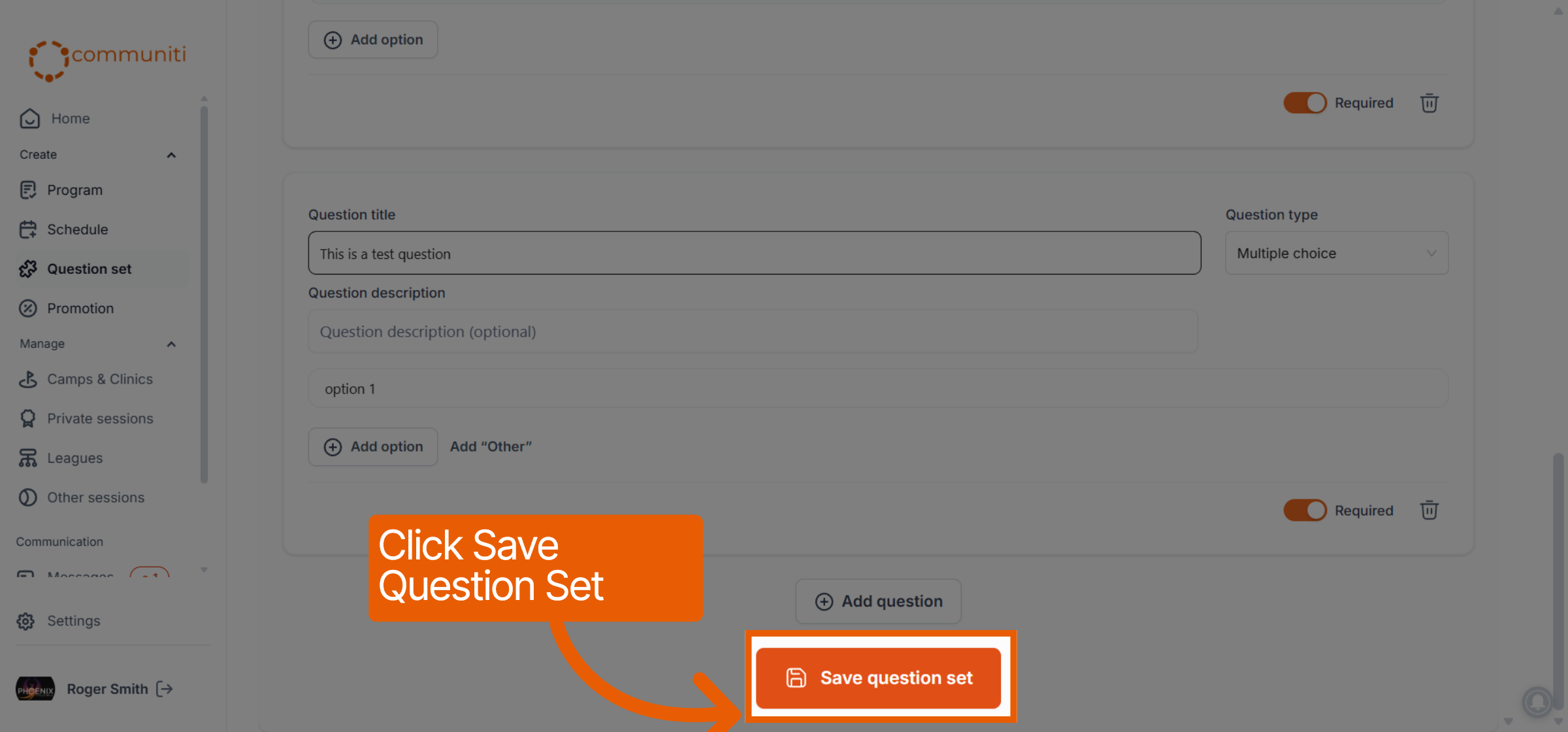
Once your adjustments are complete, click the orange Save question set button at the bottom of the page.
The new version will now be available in your question set list, ready to be assigned to your programs.
Was this helpful?
Still need help? Ask the team