Ratings and Reviews Feature Overview
Communiti helps you build trust with new participants by automatically collecting and displaying both star ratings and written reviews from your existing customers.
Written By communiti
Last updated 10 months ago
1. How Users See Ratings and Reviews
Testimonials are featured prominently to help potential registrants make informed decisions.
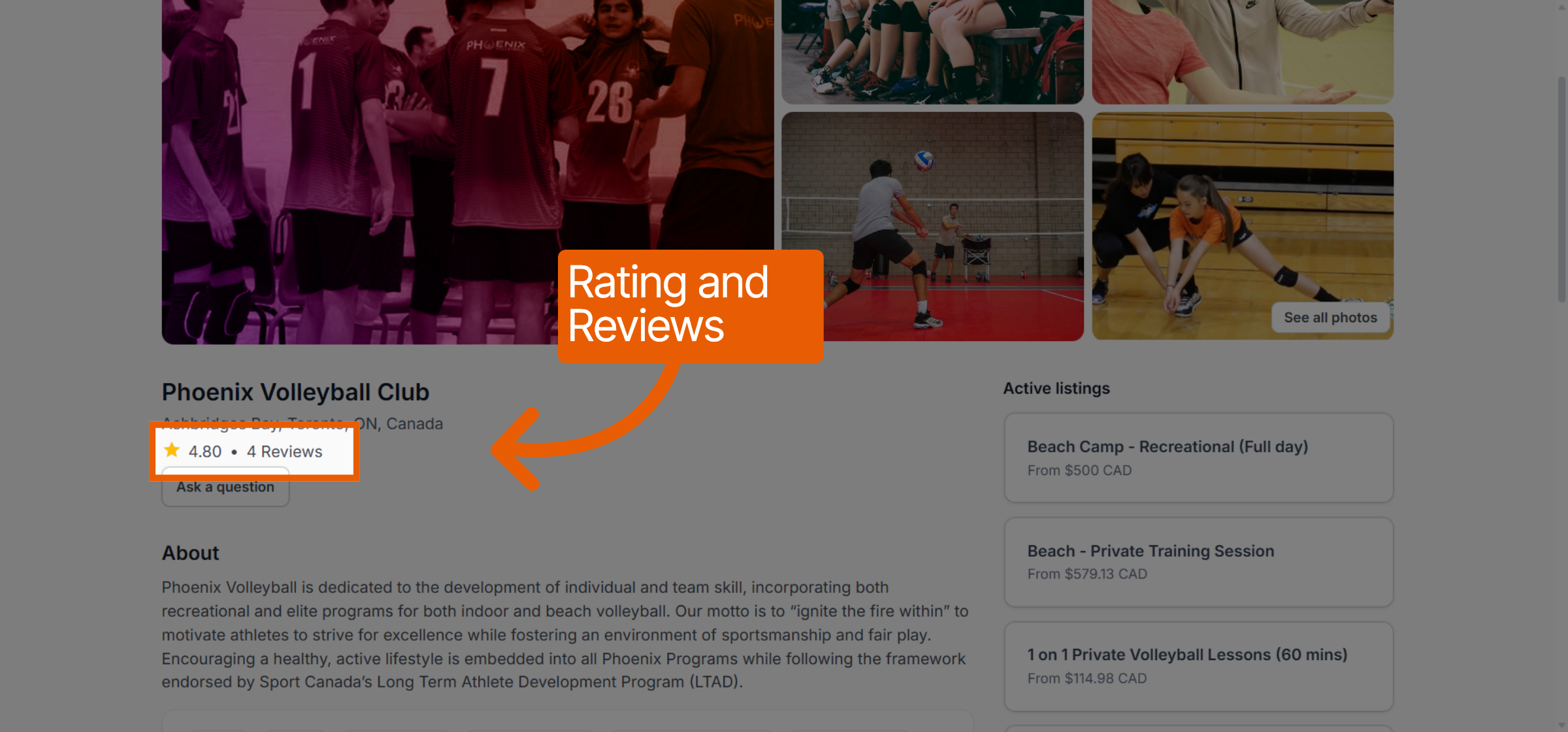
Public Booking Page: Your overall star rating (e.g., 4.80) and the total number of reviews are displayed at the top of your public club profile.
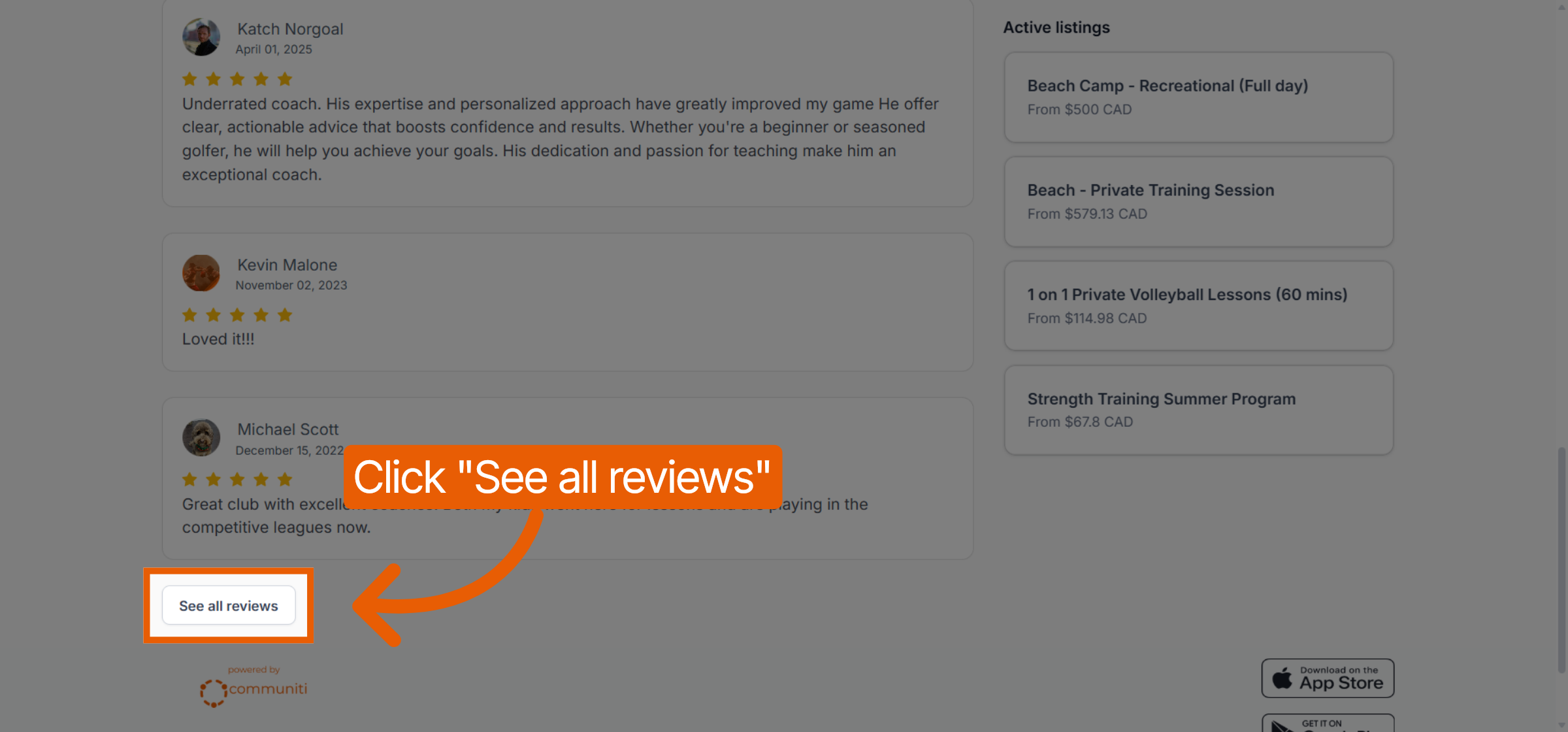
Detailed View: Users can click See all reviews at the bottom of your booking page to read specific feedback from past participants.
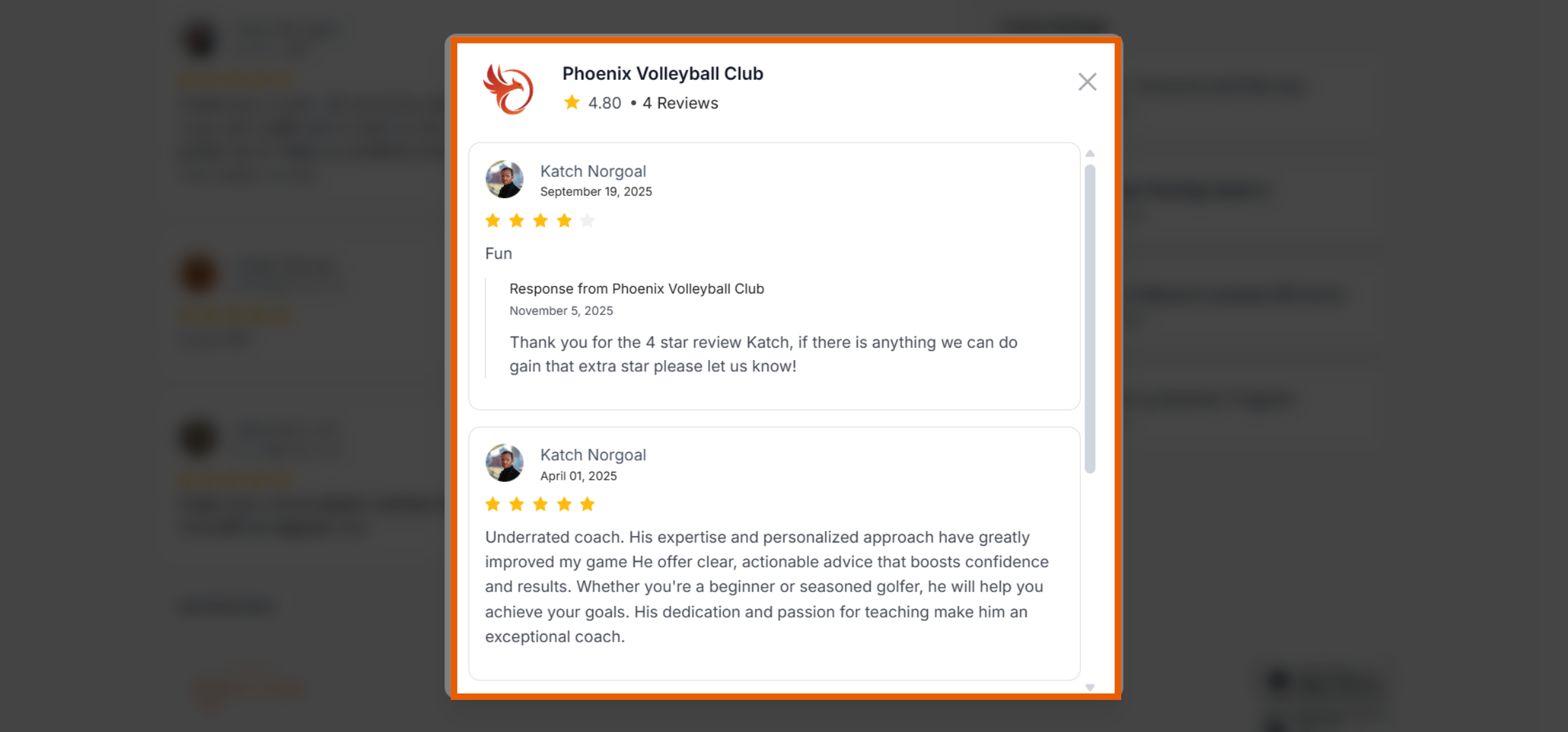
Content: Each entry includes a 5-star rating scale, the date of the review, the participant's name, and their written comments.
2. Automatic Collection System
The platform handles the follow-up work for you to ensure a steady stream of fresh feedback.
Automated Requests: Once a session is completed, our system automatically sends an email to the user asking them to leave a rating and review.
Verified Feedback: Because these requests are tied directly to completed sessions, the ratings and reviews come from verified participants.
3. Managing Ratings and Reviews
You can monitor and interact with your feedback from two convenient locations in your administrative portal.
Option A (Home Dashboard): Recent feedback appears in the Recent reviews section of your Home tab. You can click View all in this section to open the full management window.
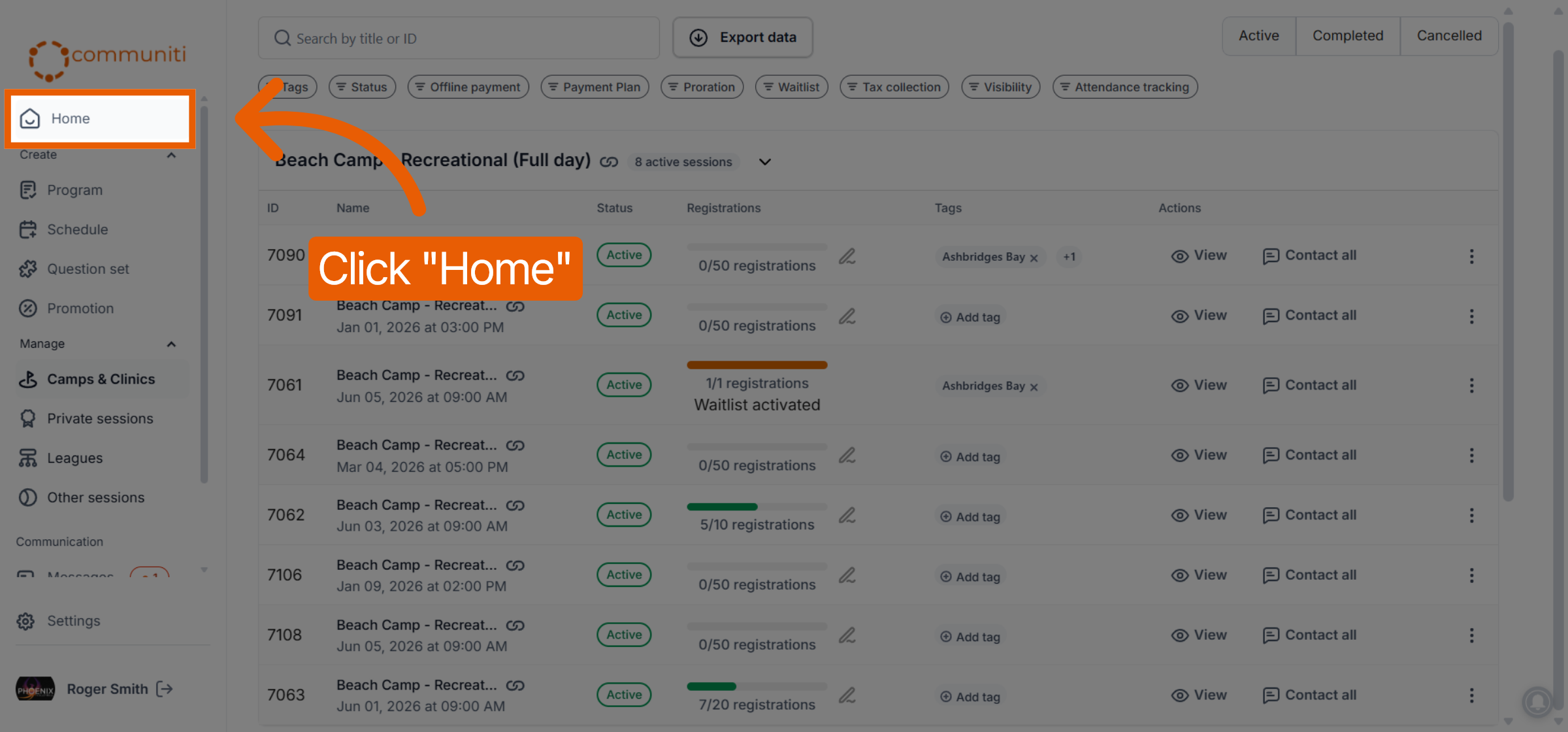
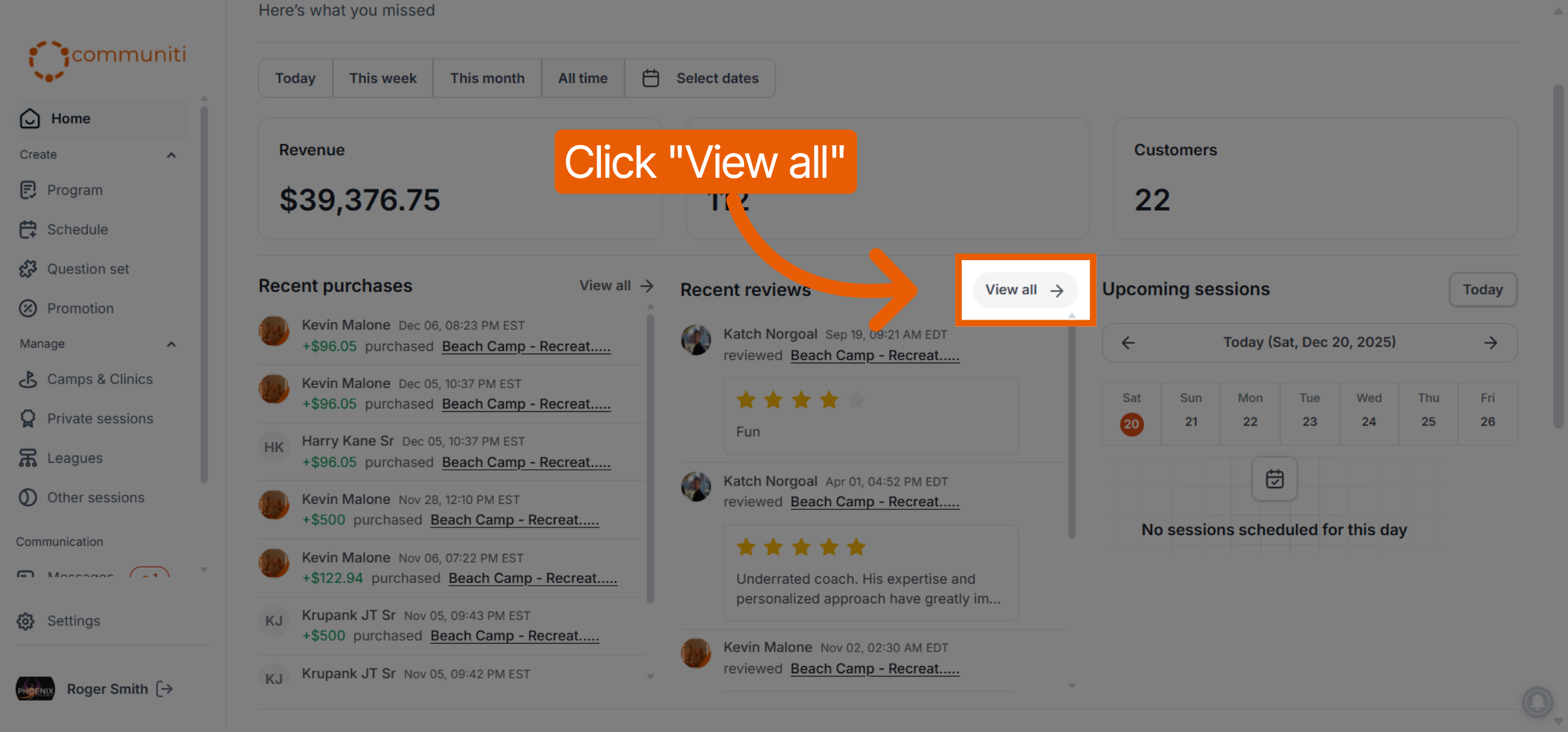
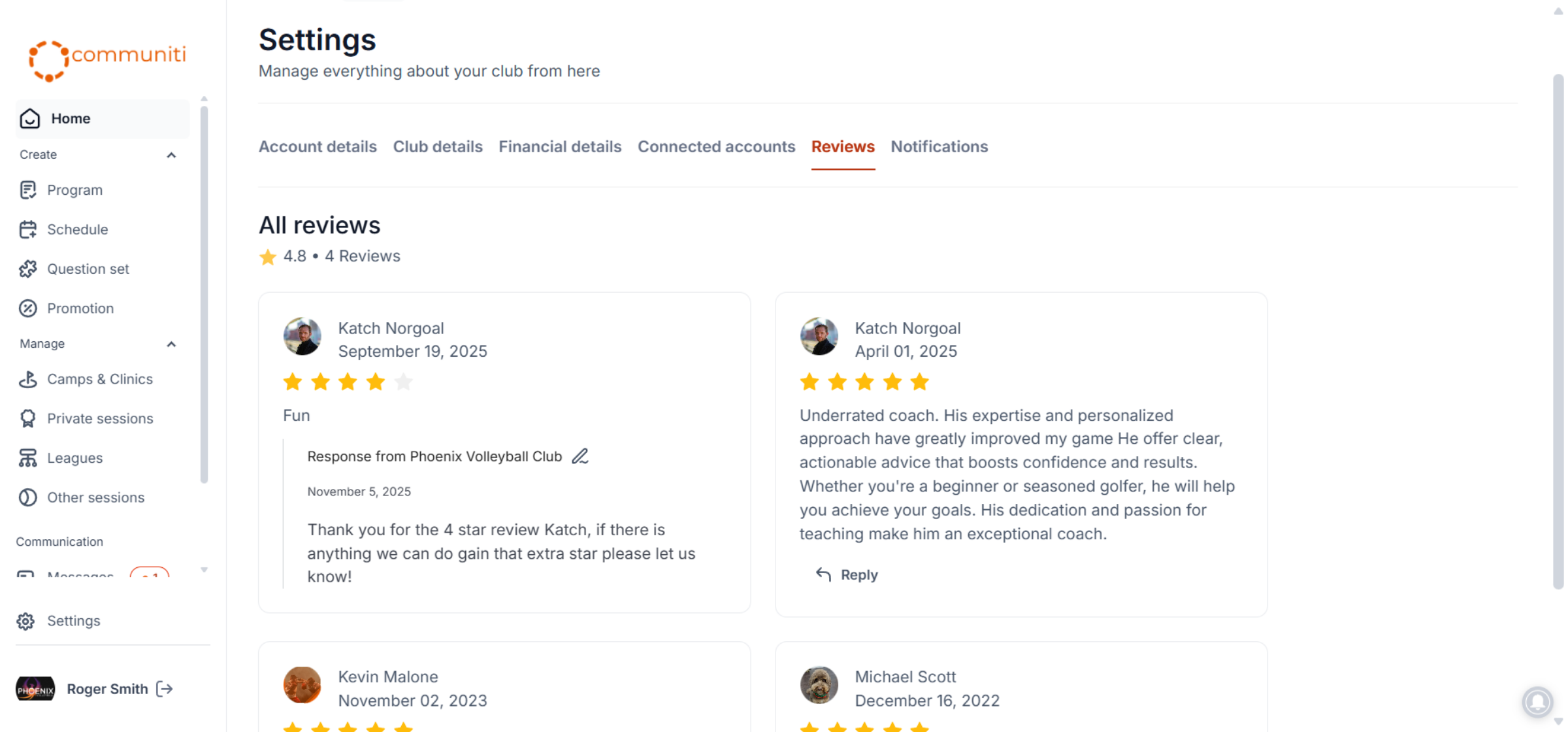
Option B (Settings): Navigate to Settings in the left sidebar and select the Reviews tab.
Responding: Within the reviews management page, you can see all entries in one list and click Reply to thank a customer or address their feedback directly.
Was this helpful?
Still need help? Ask the team