How to Pause and Resume Promotions
You can temporarily disable a promotion if you need to stop offering a discount without deleting it entirely. This is useful for limited-time offers that you may want to re-enable later.
Written By communiti
Last updated 10 months ago
1. Locate the Promotion
Access your global list of offers to find the promotion you want to manage.
Select Promotion from the left sidebar menu.
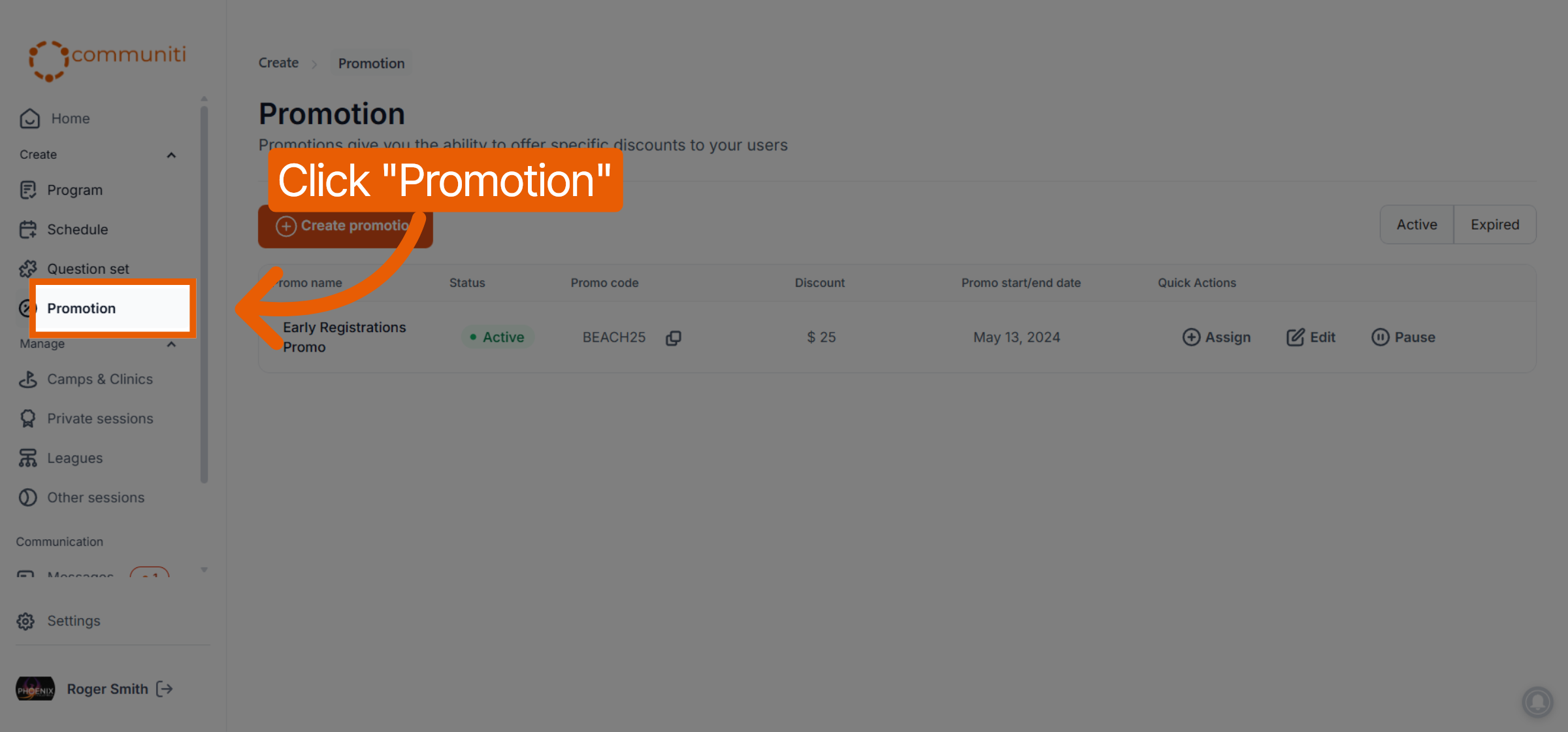
Find the specific promotion in your list that currently has an Active status.
2. Pause an Active Promotion
Pausing a promotion immediately prevents any users from using that code during checkout.
Click the Pause button located in the Quick Actions column for that promotion.
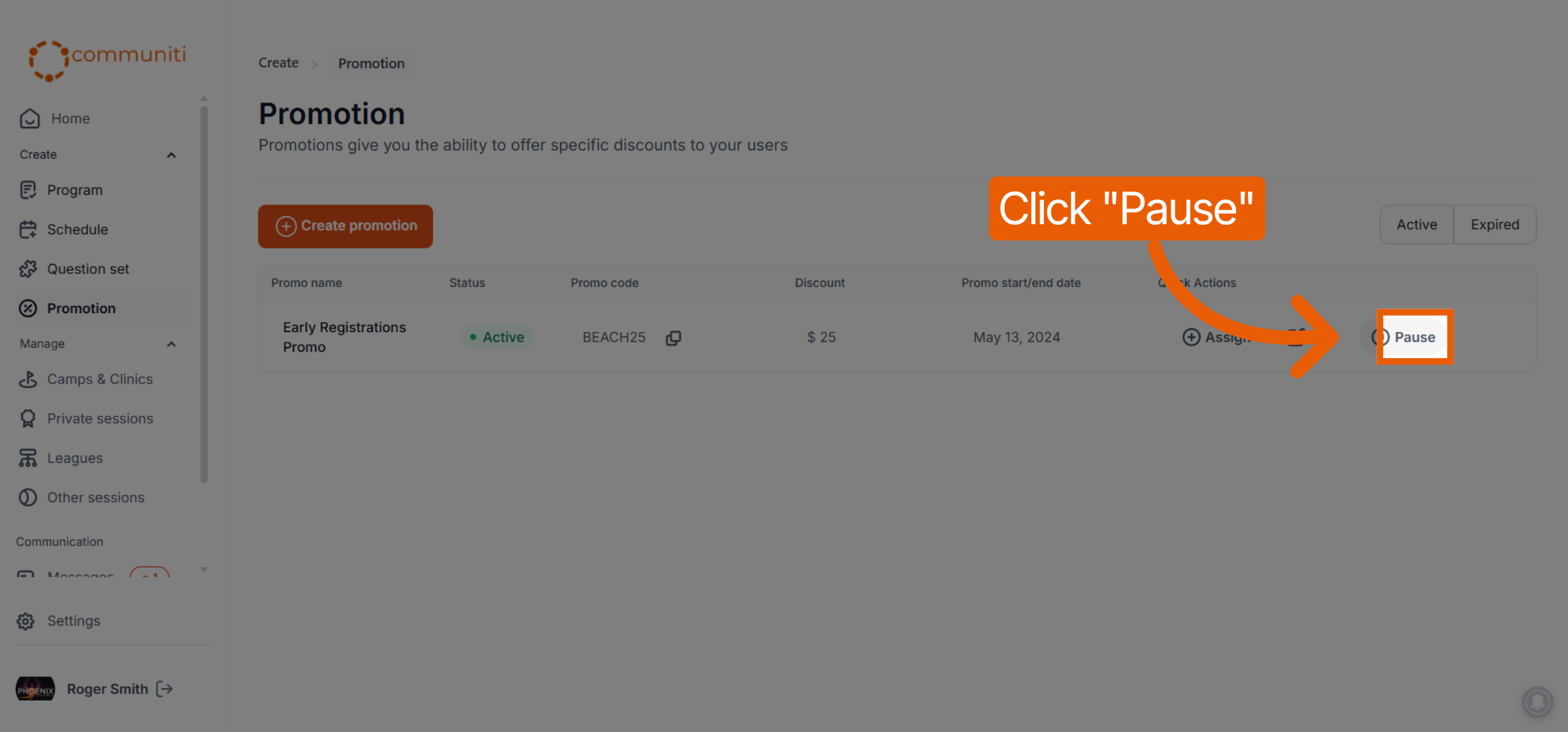
The status of the promotion will update from Active to Paused.
3. Resume a Paused Promotion
When you are ready to make the discount available to users again, you can easily reactivate it.
Locate the promotion with the Paused status in your list.
Click the Resume button in the Quick Actions column.
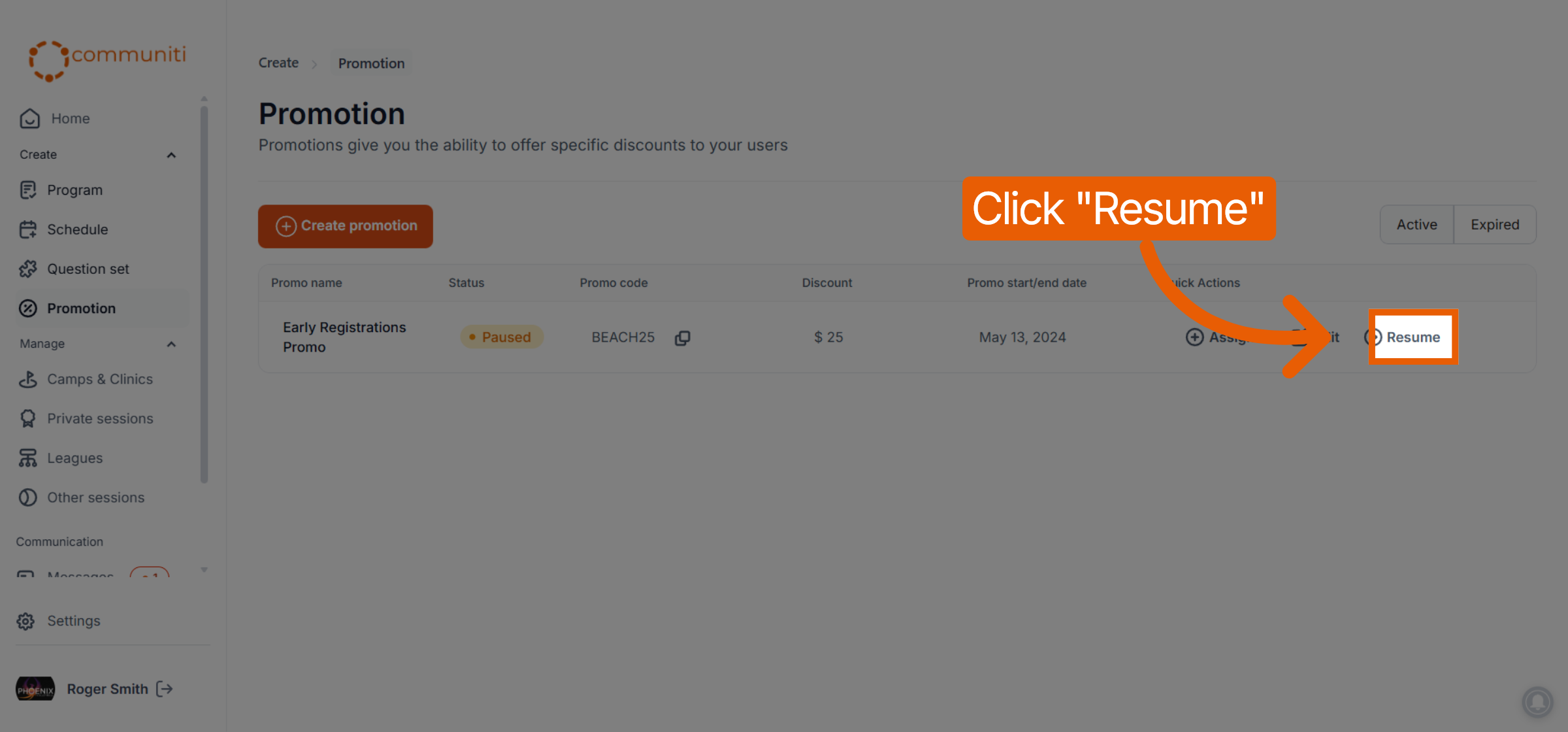
The status will return to Active, and the code will once again be valid for registrations.
Was this helpful?
Still need help? Ask the team