How to Use a Separate Calendar for Each Court
Give each court or facility its own Google calendar so lessons on one court never double-book it.
Written By communiti
Last updated About 20 hours ago
If your lessons happen on different courts, give each court its own Google calendar. When you schedule a private session, you pick the court's calendar: customers can only book times when that court is free, and each booking is added to that court's calendar.
1. Create a Calendar for Each Court
Do this in Google Calendar, with the Google account you connected to Communiti.
In Google Calendar, create a new calendar for each court, for example "Court 1" and "Court 2".
If a court's calendar belongs to another Google account, share it with your connected account and give it permission to make changes to events.
Note: A calendar you can only view doesn't work: the customer can pay, but the booking can't be added to it.
2. Choose the Court's Calendar When You Schedule
Each private session uses one calendar.
On Schedules, click Add program and select your private session template.
Under Select a connected calendar, click your Google account.
Select the court's calendar, for example Court 1.
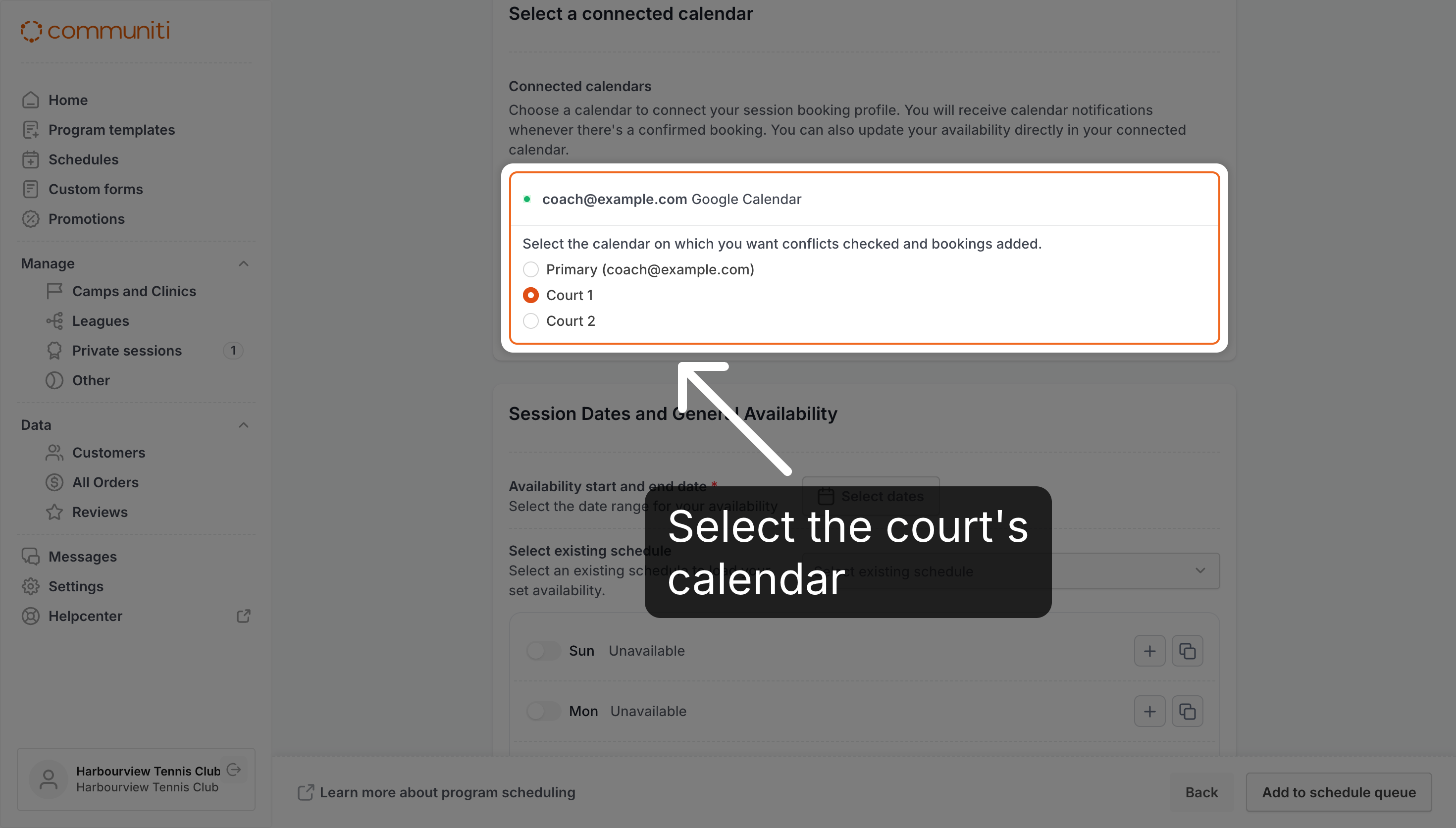
Finish your hours and prices, then schedule the session as usual.
3. Add a Session for Each Court
A private session template can only have one active session at a time. To offer lessons on a second court, use a copy of your template.
On Program templates, click Duplicate on your private session template, give the copy a name such as "Private Tennis Lesson – Court 2", and save it.
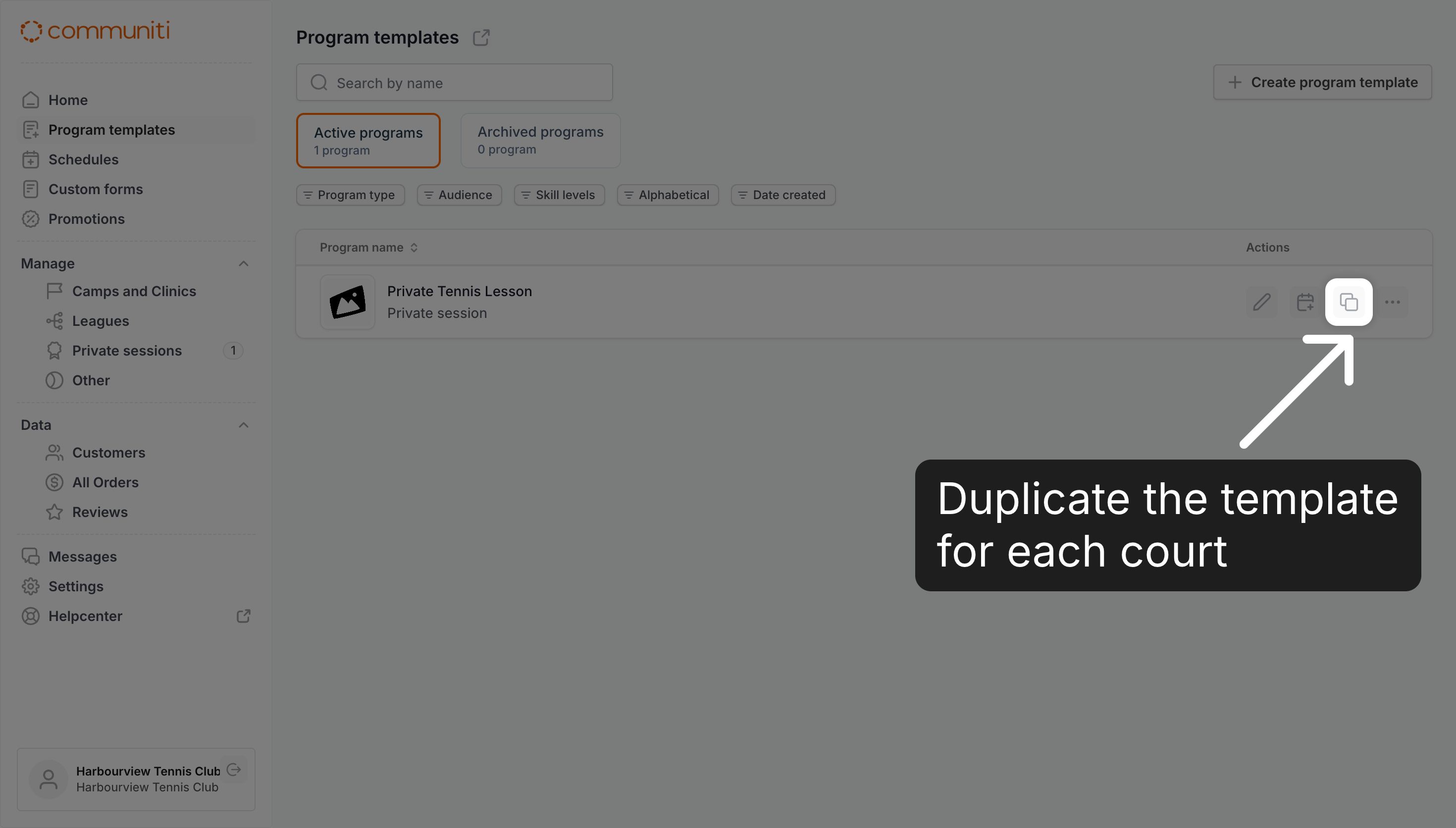
Schedule the copy and select the second court's calendar.
What happens next?
Customers see free times only when that court is free in its calendar. Anything that blocks the court, such as a league match, should go in the court's calendar so customers can't book over it.
Was this helpful?
Still need help? Ask the team