How do I book a private lesson?
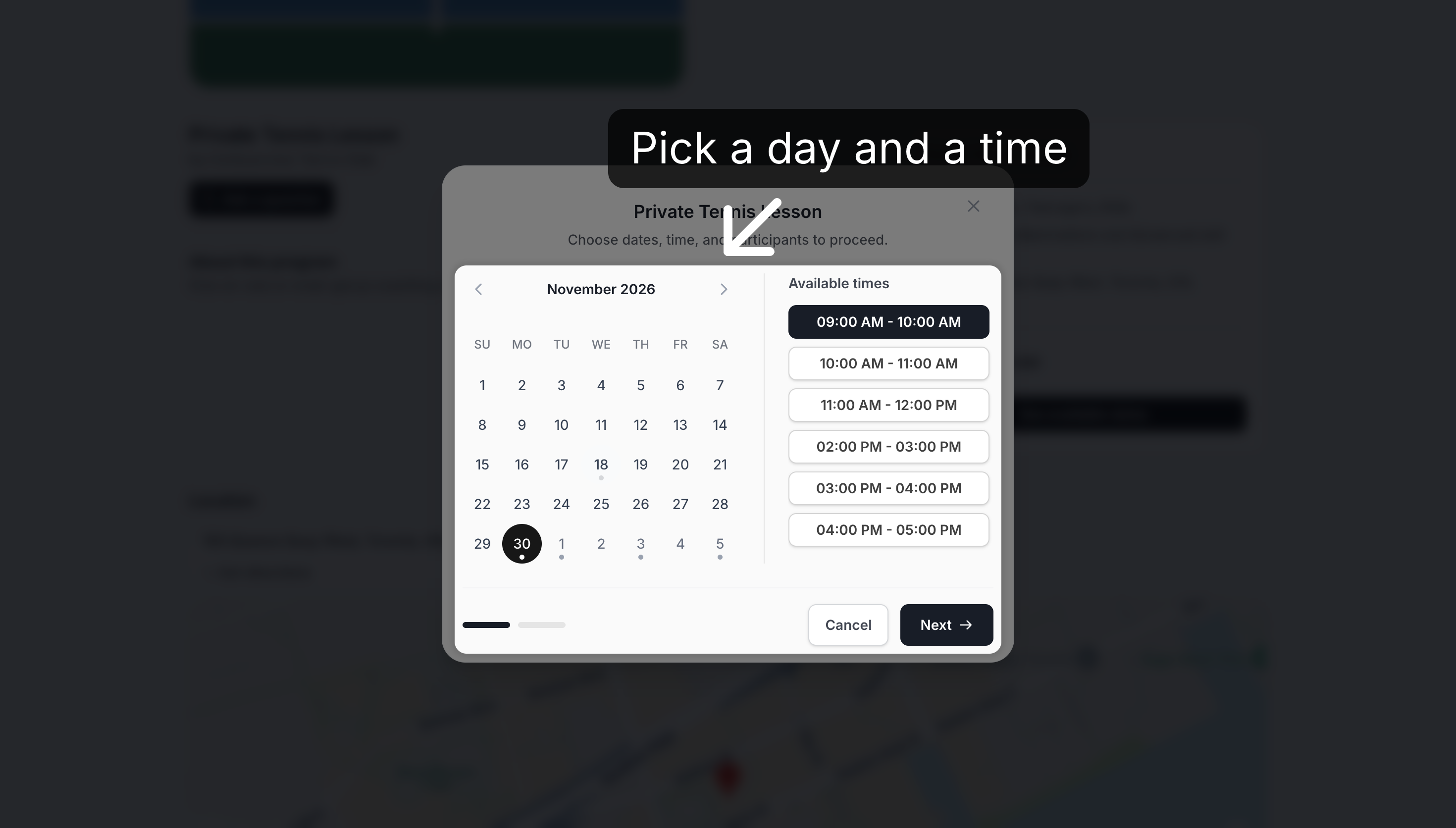
Pick a day and time, choose a single lesson or a lesson pack, and pay online.
Written By communiti
Last updated About 20 hours ago
You book a private lesson on your club's Communiti page. You choose the first lesson's day and time; the club books the rest of a lesson pack with you afterwards.
1. Find the Private Lesson
Start from your club's page.
Open your club's Communiti page and click the Private lesson tab.
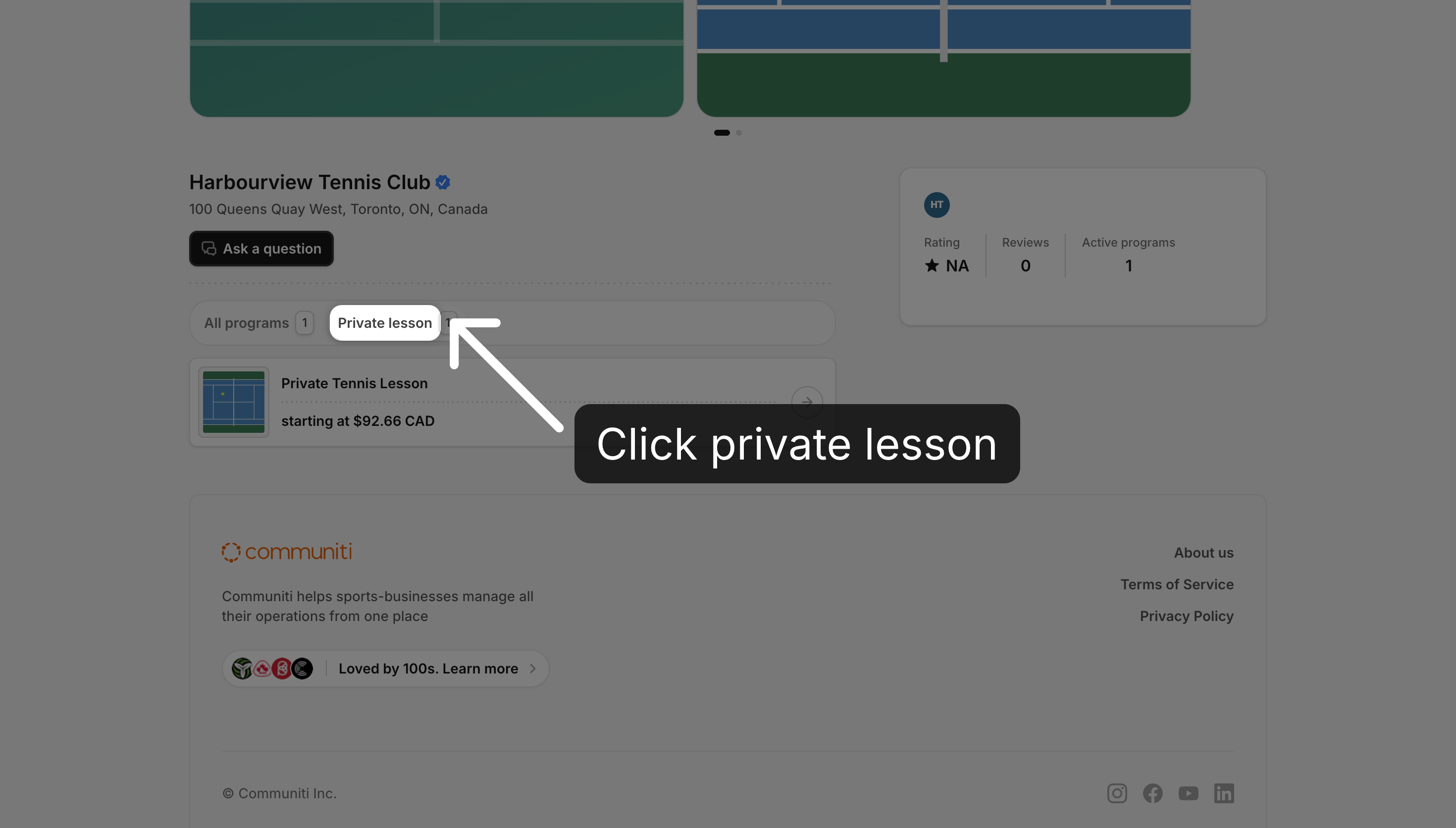
Click the private lesson you want.
2. Pick a Day and Time
Only times when the club is free are shown.
Click See available dates.
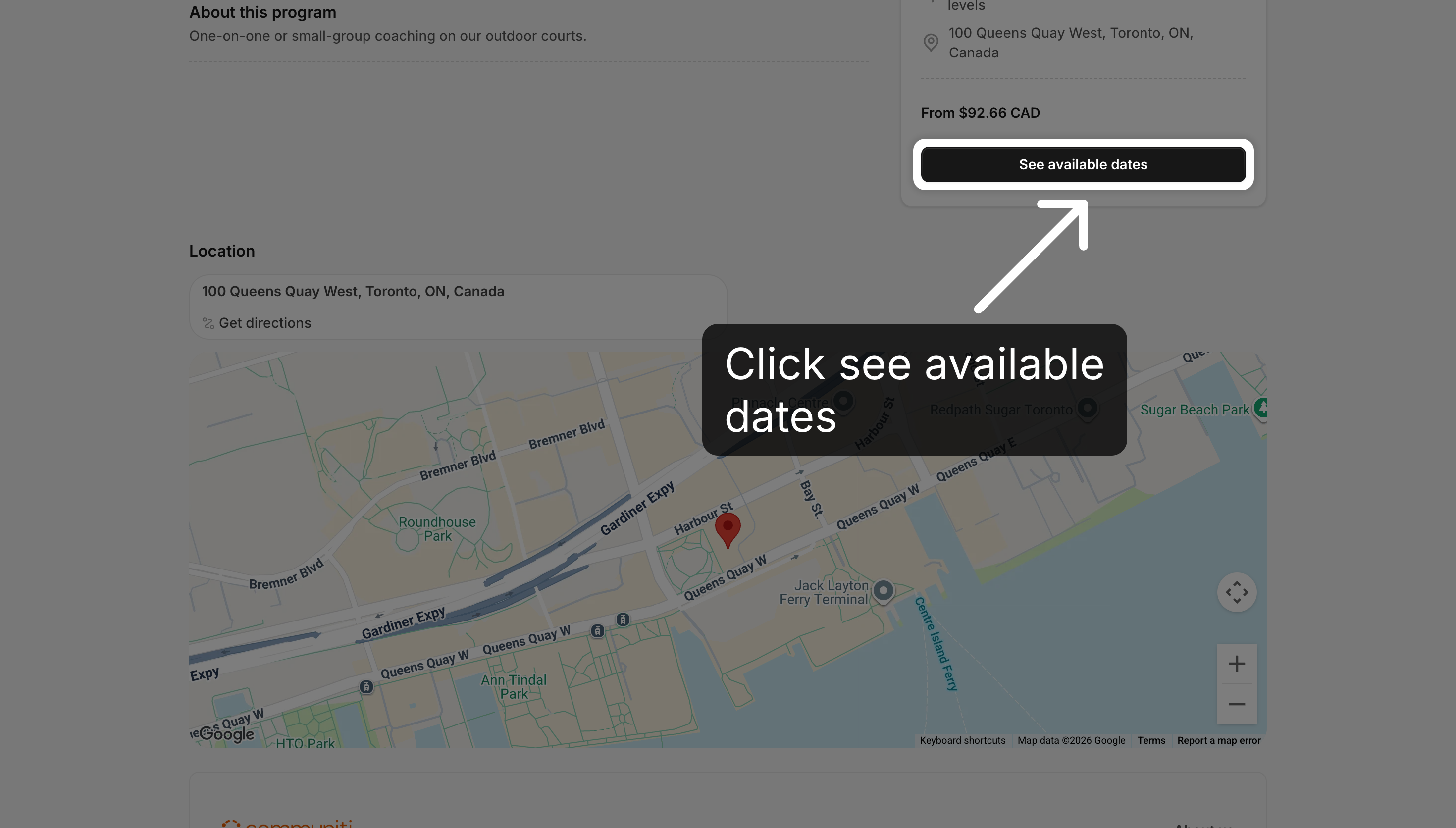
Pick a day on the calendar. Days with free times have a dot under them.
Pick a time under Available times, then click Next.
3. Choose Participants and a Lesson Pack
Choose how many people are taking part and how many lessons you want.
Use + and − to set the number of participants.
Choose Single lesson or a lesson pack, for example 5 lesson pack. The price is for the whole pack and everyone taking part.
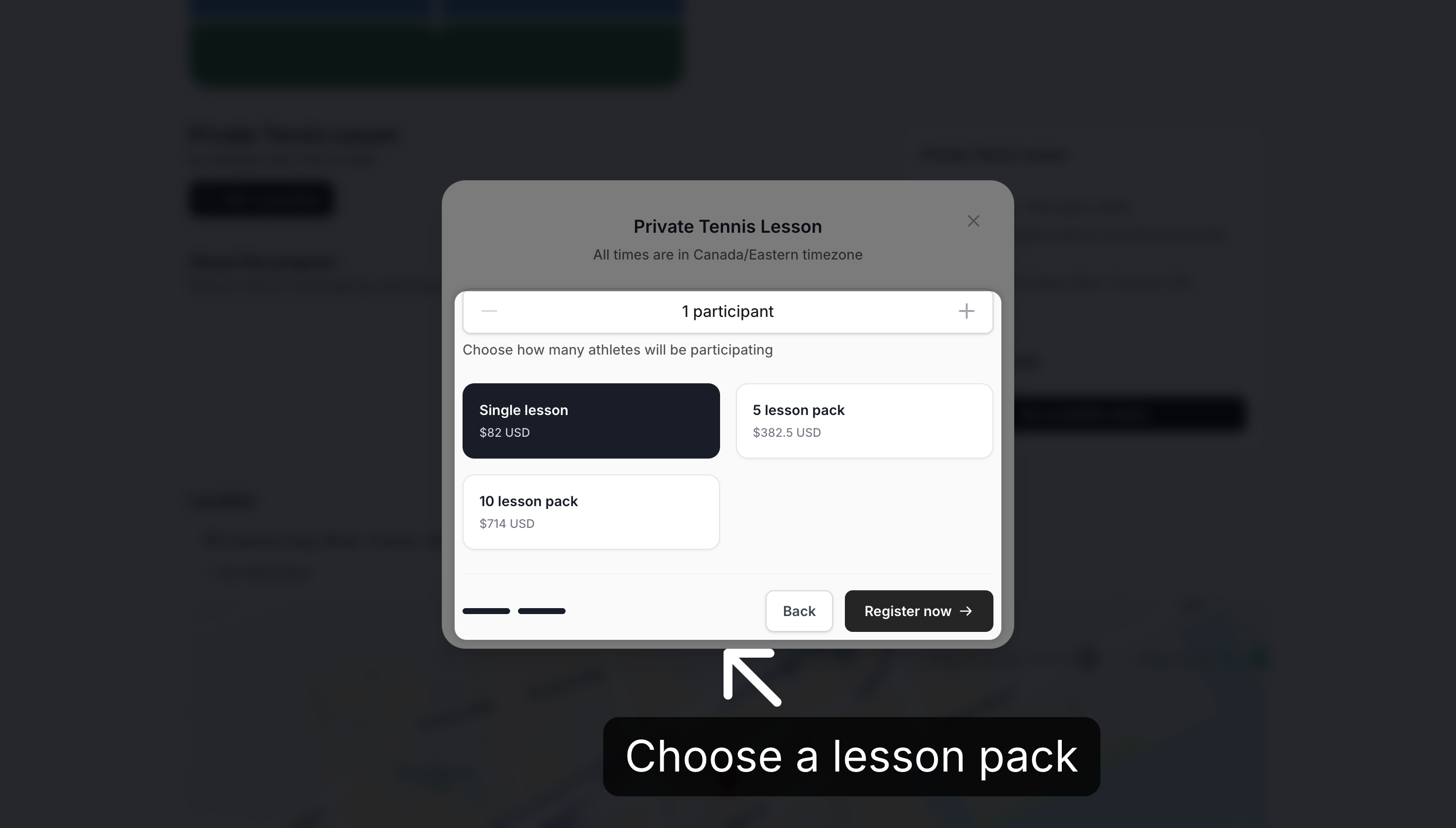
Click Register now. Sign in or create an account if you're asked to.
4. Choose Who's Taking the Lesson and Pay
Finish your booking.
Under Athlete profile, select your child's profile (or yours), or click Create new profile.
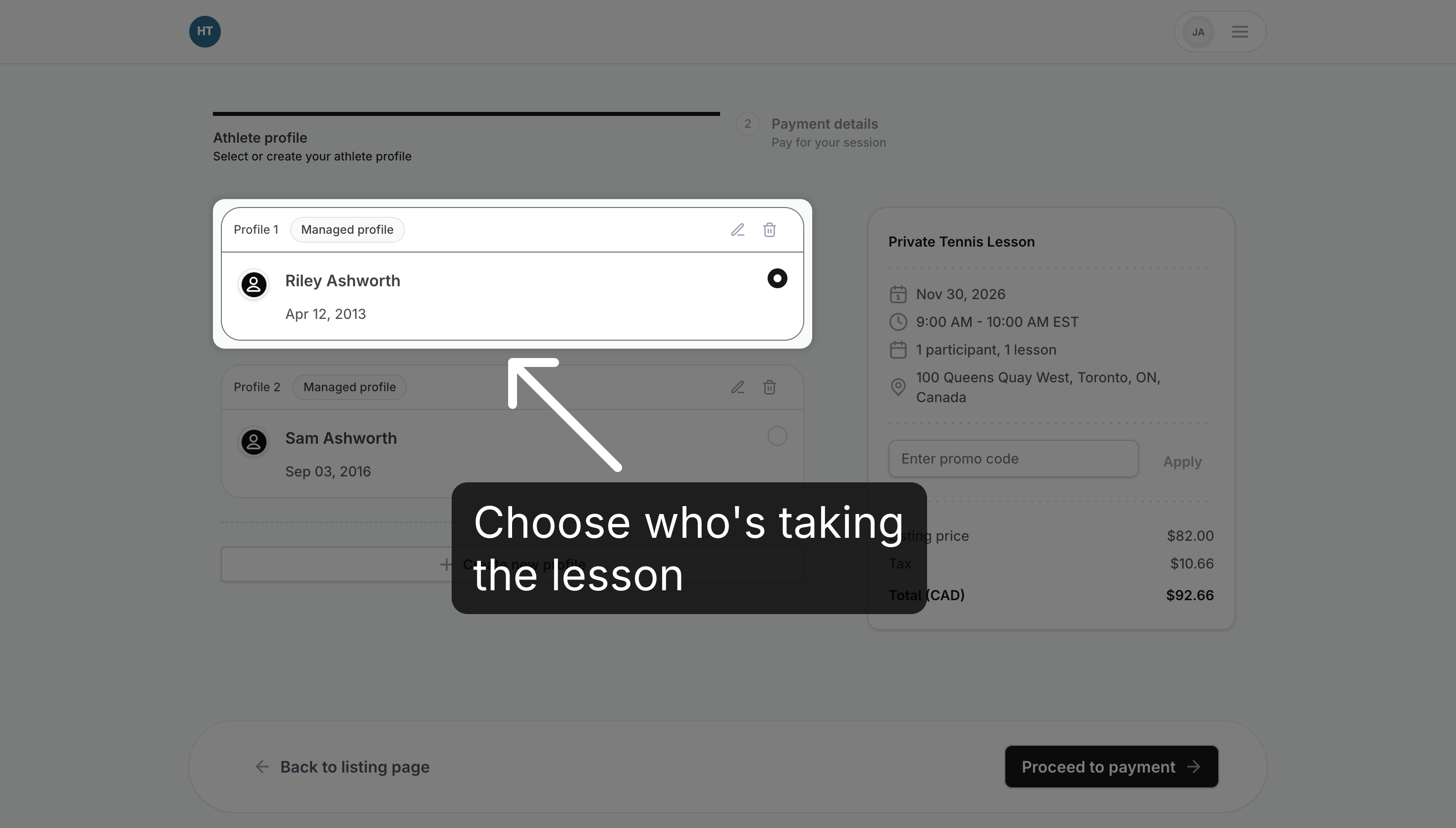
Click Proceed to payment, enter your card details and click Register and pay.
Note: You pay for the whole pack now. Payment plans and deposits aren't available for private lessons.
What happens next?
You see Order confirmed and get a confirmation email. Your first lesson is added to the club's calendar, and you get a calendar invitation for it. Your other lessons show as TBD until the club books them with you.
Was this helpful?
Still need help? Ask the team